
Before uploading a personal document to an AI assistant, decide what help you want from it. A useful answer may require a few relevant paragraphs. It may require the whole file. Connecting an account adds another decision: whether the convenience of retrieving information is worth granting access beyond the material you selected yourself.
Privacy settings help make those choices, but they control different things. Training governs whether content can help improve a model. Retention concerns how long records remain. Memory supplies context for later answers. Connected services can receive information under their own rules. This guide explains those distinctions using provider documentation checked on September 22, 2026. It does not claim to audit what happens inside their systems.
The big change
- What changed: Assistants can combine a new message with saved context, files and connected accounts. Privacy decisions extend beyond the words entered in a single conversation.
- Why it matters: People seeking help with personal tasks can choose how much context to supply and retain. Useful assistance can often begin with a smaller, carefully selected extract.
- What to watch: Training, storage, personalization and onward sharing have separate controls. Check the account and task involved, especially before saving a temporary conversation or authorizing another service.
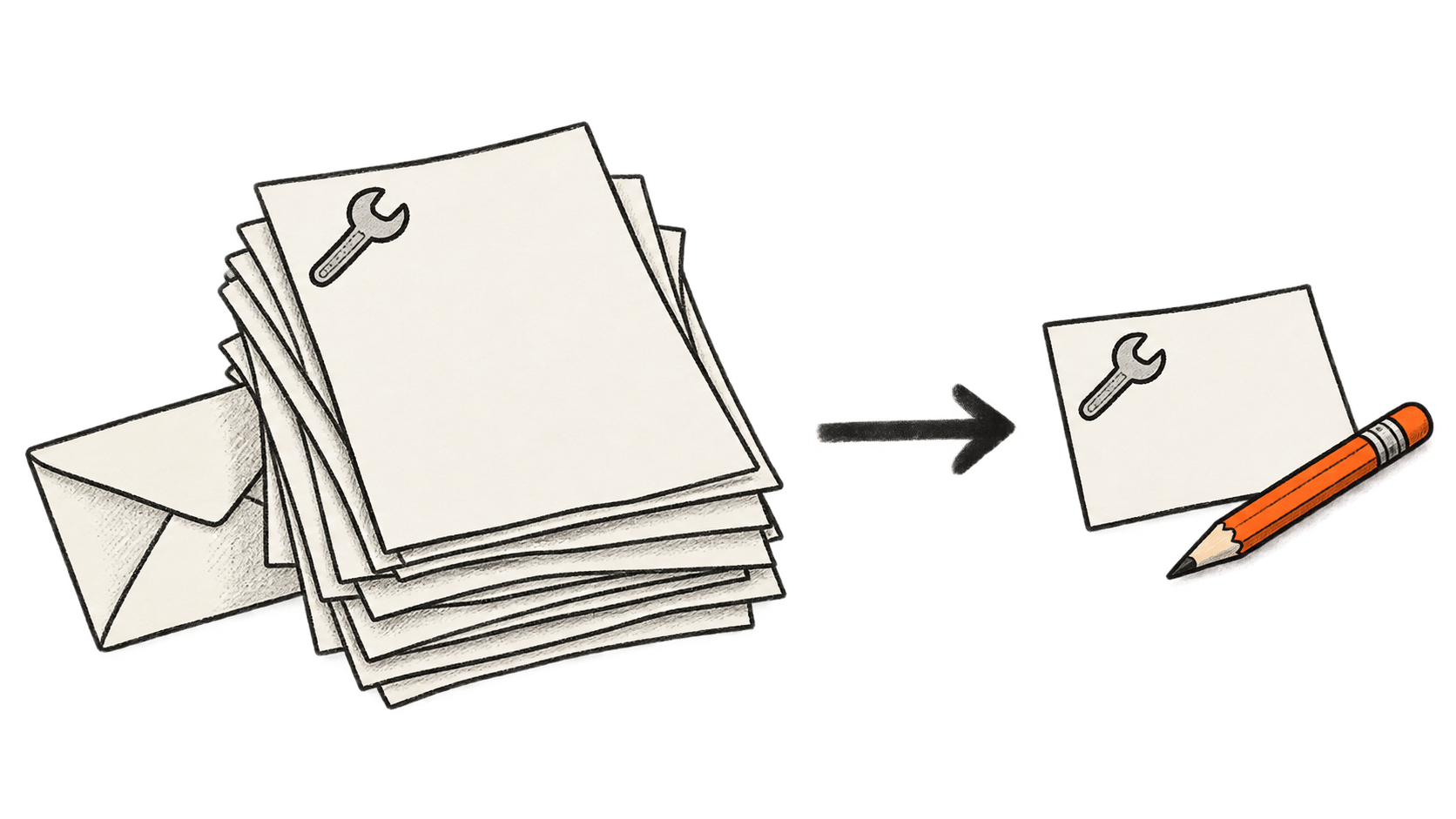
Start with a smaller version of the task
Suppose you want help turning a long exchange with a repair company into a clear follow-up email. The original thread contains your home address, phone number, invoice attachment and unrelated replies from a family member. You want a concise account of what remains unfinished and a request for a new appointment.
For that hypothetical task, begin with the repair problem, relevant dates, what the company promised and the outcome you want. Replace names with simple labels. Leave out contact details and account numbers unless they affect the wording. Add the correct identifying information yourself when you prepare the final email.
Read the edited extract before sharing it. Removing a name may still leave an identifiable address or a distinctive personal event. A shorter version can reduce unnecessary disclosure without promising anonymity. It also gives you a chance to notice whether the source material says what you think it says.
If the assistant cannot produce a useful draft, add the specific missing detail. This makes the exchange more deliberate than uploading an entire archive at the outset. The tradeoff is effort: selecting context takes time, and removing too much can produce vague or mistaken advice. Preserve facts that matter to the task, and check the answer against the original before using it.
The same question applies to other people's information. Permission to read a message is not necessarily a reason to upload everyone mentioned in it. For workplace documents, check the organization's approved service and sharing rules before choosing a personal account.
Check training without confusing it with storage
In ChatGPT, OpenAI says turning off Improve the model for everyone in Settings, under Data controls, excludes new conversations from model training. They can remain in history. It also documents a feedback exception: submitting feedback such as a thumbs-up or thumbs-down can make the associated conversation available for training even after opting out. ChatGPT data controls
For Claude's consumer Free, Pro and Max plans, including Claude Code used through those accounts, the control is Help Improve our AI models under Settings, then Privacy. Anthropic says turning it off stops use of previous and new chats in future training runs, but does not undo training already started or completed. Conversations flagged for safety can still be used for trust-and-safety purposes, including training safety models. Claude's consumer model-improvement setting
These settings govern whether material supplied for your own task contributes to developing the provider's models. They do not answer every question about who processes the conversation or how long it remains available. Check retention separately, and read the explanation beside a feedback control before attaching a sensitive conversation to a report.
OpenAI says managed Business, Enterprise, Edu and Healthcare workspaces do not supply training content by default, while organization-level retention and access policies still apply. A personal subscription and an employer-managed workspace should not be treated as interchangeable privacy arrangements. OpenAI's managed-workspace guidance
If you use an organizational account, establish who administers it and which policy covers the particular feature. A work account may be appropriate for work material while being an unsuitable place for unrelated personal matters.
Choose what a temporary conversation can use
OpenAI's current Temporary Chat instructions offer Personalized or Unpersonalized before the first message. Personalized can use existing memories, custom instructions and plugins; Unpersonalized excludes those sources. Neither creates or updates memories while the conversation remains temporary. It stays out of history and model improvement, although OpenAI may keep a copy for up to 30 days for safety. Limited safety context is separate from personalization. Temporary Chat's current rules
Saving that conversation converts it into a regular chat. From then on, the account's personalization and model-improvement settings apply. The choice is useful if a passing task becomes something you want to revisit, but saving changes the treatment of the record. Read the setting before treating a temporary session as a permanent workspace.
In the repair-email example, you might want a draft based only on the extract you supplied. Existing knowledge about your household may add little to that task. For a continuing project, remembering preferred wording or accessibility needs could save repeated explanations. Decide which benefit you want rather than assuming that temporary and unpersonalized mean the same thing.
Google makes a different set of choices available in Gemini. Its Privacy Hub says chats with Keep Activity off are retained for 72 hours; future chats are not used to improve its AI models unless you submit feedback. Google can still use them to provide the service and for protection, including with human review. Its settings do not control processing that creates anonymized data to improve Google services. Temporary chats likewise have limited retention and are not used for model training. Gemini's Privacy Hub
There is no single meaning of temporary across products. Use the term as a prompt to check what remains, what context can be used and what changes if you keep the result.
Review memory and the original sources separately
Memory can make an assistant more useful over time, particularly when repeating background information is burdensome. It also means an answer may draw on material beyond the current prompt. That deserves a separate decision from whether a provider may train on your conversations.
OpenAI's Memory documentation says the memory summary may omit information the system can reference. Asking it not to mention something changes personalization without deleting the source. Deleting a chat does not necessarily remove a separately saved memory; removing information can require attention to memories, chats, files and connected sources. The available controls vary by account. How ChatGPT memory is managed
Review remembered information after a task that introduced personal details you did not intend to keep using. Check whether it is accurate as well as whether you want it retained. An outdated preference can distort later help even when it is not especially sensitive.
The repair correspondence might describe an exceptional period when you were away from home. Check that this has not become a standing assumption for future plans, and correct it if necessary.
Treat a connected service as another recipient
An assistant that finds a message in your inbox saves you the work of locating and copying it. One that sends a reply can save another step. Those conveniences involve different permissions, and the material shared may go beyond a draft displayed in the chat.
OpenAI says data sent through a GPT action follows the recipient's privacy policy, even from a temporary chat; the recipient may keep it longer than 30 days. Google's Privacy Hub likewise says third-party connected services process shared data under their own policies. Deleting Gemini activity does not delete information those apps already received. OpenAI on temporary chats and actions, Google on connected services
Before connecting an account, read the actual permission request. Identify the information the assistant can access and whether it can also change or send anything. If the task only needs selected text, manual copying may be sufficient. If ongoing access is useful, decide when you will review or remove it.
For the repair email, drafting and sending can remain separate. You can inspect the wording, add the address or reference number locally, and send it yourself. If you choose automated sending, check the destination and content before authorizing the action. A privacy choice about the AI provider cannot substitute for that review.
Disconnecting a service should also trigger a check of information already copied into chats. OpenAI explicitly distinguishes stopping future app access from deleting past conversations that used app content. Memory and connected sources
Finish by checking what you kept
After the task, retain the result you need in the place you intend to use it. Then review the conversation, uploaded material and any memory you want removed. A clean sidebar does not establish that every associated copy has disappeared.
OpenAI says deleting a saved chat removes it from view immediately and schedules system deletion within 30 days, subject to de-identification and security or legal exceptions. Files saved separately in Library need separate deletion. Archiving a conversation leaves its retention unchanged. ChatGPT chat and file retention
Anthropic's consumer retention page also distinguishes immediate removal from chat history from backend deletion within 30 days, with exceptions. It describes longer retention for some model-training, safety and feedback data. Those categories should not be mistaken for an automatic expiry period for every ordinary conversation. Claude's consumer retention policy
Google says deleting Gemini activity does not remove chats already reviewed by service providers. Those disconnected records may be retained for up to three years. Gemini's deletion limits
Deleting unnecessary material is still worthwhile. The limit is that a user's cleanup action and a provider's complete processing history are different things. Follow the documented controls, preserve anything you still need before deletion, and avoid claiming certainty that the interface cannot demonstrate.
For your next personal task, use this short sequence:
- State the result you want and select the minimum useful information.
- Check the account's training choice and the conversation's personalization or temporary settings.
- Review any connected recipient and permission before sharing or acting.
- Check the answer against the original, then decide which chats, files and memories to keep.
More context may improve an answer, but it gives you more information flows to understand and manage. Start with a task you can explain clearly and material you have deliberately chosen to share.