# How to run openTPU’s simulator and assess its FPGA requirements
> openTPU documents a Python simulator for language-model inference and a separate path to an Inspur Kintex-7 card. This guide maps the commands, expected output and hardware requirements from the repository.
By BIG CHANGE Editorial
Published: 2026-10-07T13:36:01.795Z
Updated: 2026-10-07T13:36:01.795Z
Canonical: https://bigchange.ai/blog/opentpu-simulator-fpga-requirements-guide
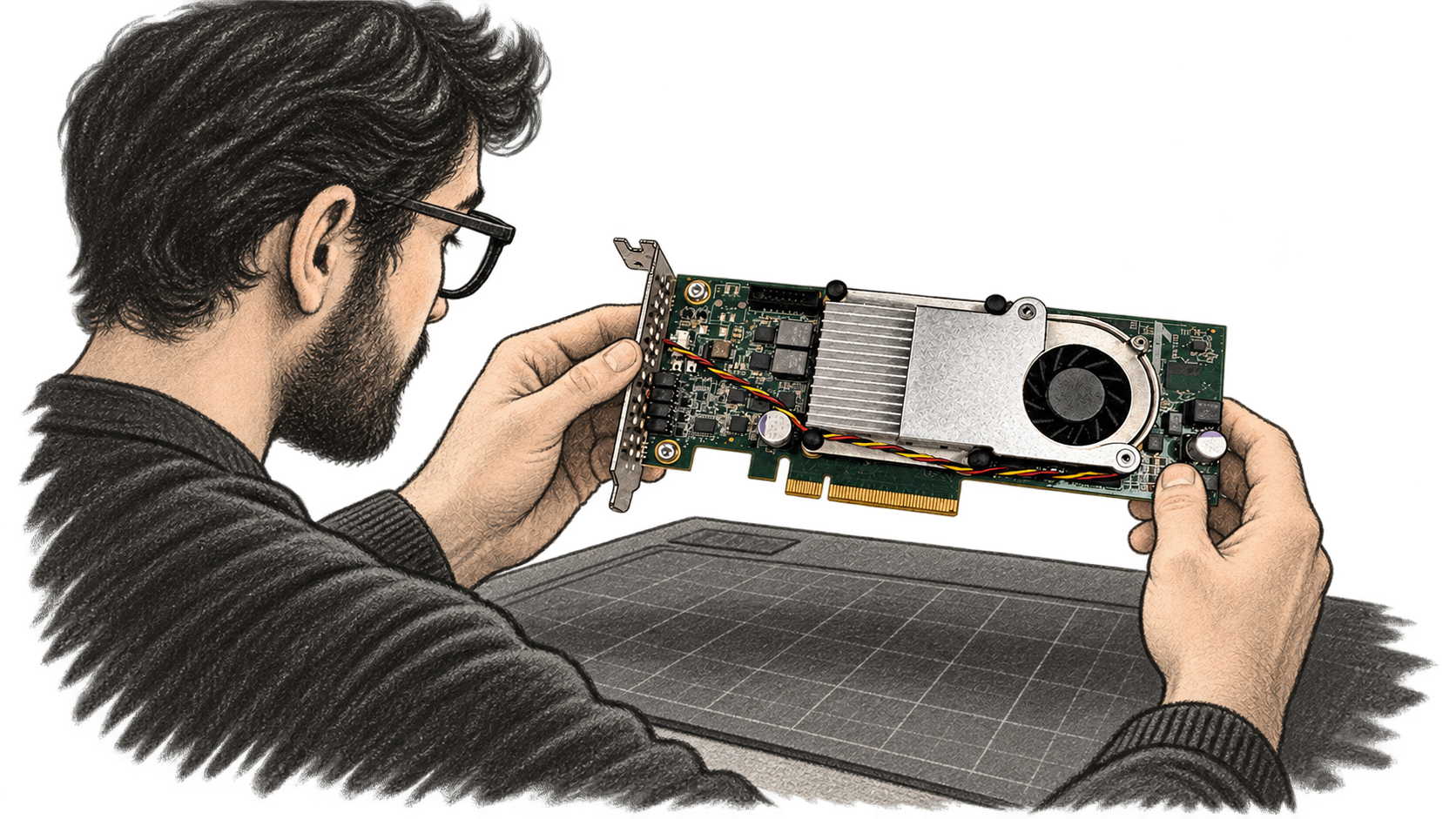
AI-generated conceptual illustration by BIG CHANGE, based on a reference photograph of the Inspur YPCB-00338 board. It does not depict a BIG CHANGE test or observed openTPU run.
The [openTPU repository](https://github.com/FeSens/openTPU/tree/b9a3f3bc98e7f74808fd5650bf9db33eaf7b2c93) puts a Python instruction-set simulator, compiler, SystemVerilog design and FPGA host tools in one project. Its authors report running language models on an Inspur Kintex-7 card. For an ML systems or FPGA developer, the accessible first step is a software chat run with real model weights. Moving the same project to a card adds a specific board, licensed build tools and Linux host setup. This guide follows the repository at commit `b9a3f3b` from October 7, 2026; BIG CHANGE has not installed, simulated or tested it.
## The big change
- **What changed:** openTPU publishes an accelerator’s instruction set, simulator, compiler, RTL and board integration together. An engineer can inspect the path from a model operation to simulated instructions before acquiring the supported card.
- **Why it matters:** The documented simulator gives hardware learners a concrete way to study the design and run a small language model using ordinary host software. The project says AI agents helped produce the hardware stack; the inspectable artifacts make that development claim worth examining, while the reported card results remain the project’s own measurements.
- **What to watch:** Reproducing the physical result depends on a Kintex-7 board, a licensed Vivado build and working PCIe bring-up. The repository supplies commands and self-tests for that work. An independent run on a pinned revision would establish how readily other engineers can repeat it.
## Pin the source and choose the software path
The steps below follow `main` at [commit `b9a3f3bc98e7f74808fd5650bf9db33eaf7b2c93`](https://github.com/FeSens/openTPU/commit/b9a3f3bc98e7f74808fd5650bf9db33eaf7b2c93), committed October 7 at 11:24 UTC. The repository has a `v0.5` tag, but this guide uses the later pinned commit because its README includes a new [Hugging Face validation section](https://github.com/FeSens/openTPU/blob/b9a3f3bc98e7f74808fd5650bf9db33eaf7b2c93/README.md#validating-against-hugging-face). The Python package still identifies itself as version `0.1.0` in [`pyproject.toml`](https://github.com/FeSens/openTPU/blob/b9a3f3bc98e7f74808fd5650bf9db33eaf7b2c93/pyproject.toml); that package number alone does not identify the source snapshot. The repository uses the Apache 2.0 license.
You need Python 3.10 or newer. The package declares `numpy` and `textual`; the README separately installs `pytest`, `torch` and `transformers` for tests and model use. It shows the Hugging Face `hf` command downloading a checkpoint into `models/LFM2.5-230M`. Check that `hf` is available in your Python environment before the download. The checkpoint is an input to the chat command, not a model bundled with the source. The project does not state a total download size, host-memory requirement or fixed simulator runtime for this path.
From the repository root, the [documented sequence](https://github.com/FeSens/openTPU/blob/b9a3f3bc98e7f74808fd5650bf9db33eaf7b2c93/README.md#try-it) is:
```shell
git clone https://github.com/FeSens/openTPU.git
cd openTPU
git checkout b9a3f3bc98e7f74808fd5650bf9db33eaf7b2c93
pip install -e .
pip install pytest torch transformers
python3 -m pytest -q
hf download LiquidAI/LFM2.5-230M --local-dir models/LFM2.5-230M
otpu-chat --model lfm2 --backend isa
```
The checkout commands pin the inspected revision; the install, test, download and chat commands are from the README. `--backend isa` selects the Python instruction-set simulator. The full `pytest` suite also includes RTL tests that require Verilator 5, so a machine without that tool cannot use the complete suite as its software-only success check. For the smallest documented interactive run, the completion signal is a loaded LFM2.5-230M checkpoint followed by a chat interface that accepts a prompt and returns model text. The exact words of a generated reply are prompt- and sampling-dependent. The [chat CLI source](https://github.com/FeSens/openTPU/blob/b9a3f3bc98e7f74808fd5650bf9db33eaf7b2c93/opentpu/host/chat.py) also provides `--plain` for a terminal REPL and `--prompt` for a one-shot reply; the latter prints the reply and turn statistics. Those are documented interfaces, not observed BIG CHANGE output.
The README lists Qwen3-0.6B, LFM2.5-230M and Qwen3.5-0.8B among the main chat choices, plus several larger models. Each needs its own checkpoint in the expected model directory or an explicit checkpoint path. The LFM2 path above is the repository’s shortest model download example. The README’s wider results cover ten models on the card, including Gemma 4 and models that need expert offloading, with multiple weight formats for some. That table is a set of author measurements, not a promise that every model follows this one-command LFM2 setup.
## What the simulator is checking
The project describes a kernel language and compiler that produce instructions for its accelerator. The Python ISA simulator executes those instructions; the SystemVerilog RTL is the hardware implementation. The [README’s system outline](https://github.com/FeSens/openTPU/blob/b9a3f3bc98e7f74808fd5650bf9db33eaf7b2c93/README.md#how-it-works) and [`opentpu/isasim.py`](https://github.com/FeSens/openTPU/blob/b9a3f3bc98e7f74808fd5650bf9db33eaf7b2c93/opentpu/isasim.py) let a reader follow that boundary. Running `otpu-chat` with `isa` exercises model inference through the software instruction path. It does not program an FPGA or measure the card’s throughput.
The maintainers report that their card produces the simulator’s tokens bit for bit and provide a [validation script](https://github.com/FeSens/openTPU/blob/b9a3f3bc98e7f74808fd5650bf9db33eaf7b2c93/tools/validate.py) to compare selected device runs with a CPU Hugging Face reference. The pinned README describes default prompts, token and logit comparisons, and an October 7 card run. Those reports and the code make the checks inspectable. BIG CHANGE has not repeated them, so they do not establish independent accuracy or speed.
## What changes with the physical card
The [board manual](https://github.com/FeSens/openTPU/blob/b9a3f3bc98e7f74808fd5650bf9db33eaf7b2c93/docs/board.md) targets the **Inspur YPCB-00338** with a Xilinx Kintex-7 `xc7k480t-ffg1156-2`, two 2 GiB DDR3 channels and a PCIe connection to a host PC. Its default bitstream build uses Vivado 2026.1. The manual says the free edition excludes this device and suggests a paid license or 30-day evaluation. [AMD’s 2026.1 device table](https://docs.amd.com/r/en-US/ug973-vivado-release-notes-install-license/Device-Availability-by-Subscription-Tier?contentId=FXBYqlfi_pd_k5OTkJcJ1A) contradicts that device claim: **Basic includes all Kintex 7 devices**.
[AMD’s current licensing options](https://www.amd.com/en/products/software/adaptive-socs-and-fpgas/vivado/vivado-licensing-options.html) list Basic at $0, with Linux support and free annual renewal. The [licensing FAQ](https://www.amd.com/en/products/software/adaptive-socs-and-fpgas/licensing-faq.html) says Basic still needs a valid annual license file; the separate, full-feature evaluation lasts **60 days**. [AMD’s 2026.1 feature table](https://docs.amd.com/r/en-US/ug973-vivado-release-notes-install-license/Supported-Devices-and-Features) lists JTAG programming in Basic but limits its XSIM simulation and some debug features. Higher paid tiers add features, and AMD says IP licensing is unchanged. BIG CHANGE has not built openTPU under Basic. The tool and IP entitlements for this bitstream flow need checking before treating it as a no-cost build. The board manual estimates 1.5 to 3 hours for `make bit`, depending on the machine. Neither it nor AMD’s tier table gives a purchase price for this card or a total reproduction cost.
After obtaining the board and toolchain, the documented board route is to build a bitstream in `boards/ypcb-00338`, program the FPGA over JTAG, and configure the Linux host. The board’s [`Makefile`](https://github.com/FeSens/openTPU/blob/b9a3f3bc98e7f74808fd5650bf9db33eaf7b2c93/boards/ypcb-00338/Makefile) sends `make bit` output to `build/vivado/otpu.bit`. `make program` uses openFPGALoader by default; the manual also describes Vivado’s hardware manager. A JTAG load does not persist across a power cycle.
```shell
cd boards/ypcb-00338
make lint
make bit
make program
```
The hardware steps above are from the board manual, not a tested sequence here. On the Linux host, its bring-up checklist calls for the Python package and checkpoint, `sudo otpu-setup` to install the XDMA driver and device rules, a PCIe rescan after a JTAG load, and `otpu-setup --check`. The latter is documented to exit successfully with “all in place” when driver, card, link, device nodes and ID register are correct. Then `otpu-selftest` checks the card before `otpu-chat --backend board --model lfm2`. Board diagnostics can be saved with `otpu-diag --json diag.json`. Those checks are the card path’s concrete completion signals; an ISA chat alone cannot stand in for them.
The published performance figures require the same care. The README reports, for example, **82.1 tokens per second wall time** for LFM2.5-230M with 4-bit weights and an int8 head on the authors’ card. Its method uses 64 greedy decode tokens after a 512-token prompt, and the table distinguishes device cycles from host-inclusive wall time. Another host, bitstream, weight format or prompt is a different measurement. The October 7 commit message reports additional qualification on the card, but it is still a maintainer record. The project has no independently reproduced benchmark in the sources reviewed for this guide.
## Sources & further reading
- [openTPU repository at the inspected commit](https://github.com/FeSens/openTPU/tree/b9a3f3bc98e7f74808fd5650bf9db33eaf7b2c93), October 7, 2026. The README supplies the system outline, simulator commands, model list and self-reported board measurements. Its results are project claims; BIG CHANGE did not execute the repository.
- [Python package metadata](https://github.com/FeSens/openTPU/blob/b9a3f3bc98e7f74808fd5650bf9db33eaf7b2c93/pyproject.toml) and [Apache 2.0 license](https://github.com/FeSens/openTPU/blob/b9a3f3bc98e7f74808fd5650bf9db33eaf7b2c93/LICENSE). These establish Python version, declared dependencies, CLI entry points, package version and source license. Model checkpoints and Vivado have separate terms and requirements.
- [Board and host bring-up manual](https://github.com/FeSens/openTPU/blob/b9a3f3bc98e7f74808fd5650bf9db33eaf7b2c93/docs/board.md), checked October 7, 2026. It specifies the supported card, bitstream steps, Linux setup, JTAG programming and self-tests. Its paid-license and 30-day evaluation statements conflict with AMD’s current 2026.1 licensing documents. Some historical bitstream examples refer to earlier builds; use the pinned tree and current build instructions when reproducing it.
- [AMD Vivado 2026.1 device availability, UG973](https://docs.amd.com/r/en-US/ug973-vivado-release-notes-install-license/Device-Availability-by-Subscription-Tier?contentId=FXBYqlfi_pd_k5OTkJcJ1A), and [supported devices and features](https://docs.amd.com/r/en-US/ug973-vivado-release-notes-install-license/Supported-Devices-and-Features), both dated June 23, 2026, plus [licensing options](https://www.amd.com/en/products/software/adaptive-socs-and-fpgas/vivado/vivado-licensing-options.html), checked October 7. These put all Kintex 7 devices in free Basic, list Linux and JTAG support, and show Basic’s simulation/debug limits. The [AMD licensing FAQ](https://www.amd.com/en/products/software/adaptive-socs-and-fpgas/licensing-faq.html) specifies the annual Basic license file and 60-day evaluation. Device coverage alone does not verify this project’s complete bitstream flow under Basic.
- [Chat CLI](https://github.com/FeSens/openTPU/blob/b9a3f3bc98e7f74808fd5650bf9db33eaf7b2c93/opentpu/host/chat.py) and [LFM2 guide](https://github.com/FeSens/openTPU/blob/b9a3f3bc98e7f74808fd5650bf9db33eaf7b2c93/docs/lfm2.md). These show backend selection, model path, interactive and one-shot output behavior, and the small checkpoint example.
- [GIGAZINE’s October 7 report](https://gigazine.net/gsc_news/en/20261007-opentpu) is useful context for the project’s public attention. The setup and performance details in this guide were checked against the repository rather than taken from that report.
## Sources
- [openTPU README at inspected commit](https://github.com/FeSens/openTPU/blob/b9a3f3bc98e7f74808fd5650bf9db33eaf7b2c93/README.md) — Primary overview, simulator commands, model list, reported card measurements and methodology. Results and AI-assisted-design description are project claims.
- [openTPU board manual](https://github.com/FeSens/openTPU/blob/b9a3f3bc98e7f74808fd5650bf9db33eaf7b2c93/docs/board.md) — Supported Inspur card, device, DDR3, Vivado 2026.1, build/program/host setup and checks. Its paid-only/30-day licensing advice conflicts with AMD's 2026.1 tier documents. Historical sections include older images.
- [openTPU package metadata and chat source](https://github.com/FeSens/openTPU/blob/b9a3f3bc98e7f74808fd5650bf9db33eaf7b2c93/pyproject.toml) — Python floor, declared dependencies, package version, license declaration and CLI entry points; chat source establishes backend choices and expected output interface.
- [openTPU Apache 2.0 license](https://github.com/FeSens/openTPU/blob/b9a3f3bc98e7f74808fd5650bf9db33eaf7b2c93/LICENSE) — Project source-code license; separate model and Vivado terms are not implied.
- [AMD Vivado 2026.1 device availability by subscription tier (UG973)](https://docs.amd.com/r/en-US/ug973-vivado-release-notes-install-license/Device-Availability-by-Subscription-Tier?contentId=FXBYqlfi_pd_k5OTkJcJ1A) — AMD's 2026.1 device table explicitly lists all Kintex 7 devices under Basic; device coverage does not independently verify the whole openTPU bitstream/IP flow.
- [AMD Vivado 2026.1 supported devices and features (UG973)](https://docs.amd.com/r/en-US/ug973-vivado-release-notes-install-license/Supported-Devices-and-Features) — Requires a valid license file at launch; Basic includes JTAG programming and limits XSIM simulation and some debug functions. Does not verify an openTPU build under Basic.
- [AMD Vivado licensing options](https://www.amd.com/en/products/software/adaptive-socs-and-fpgas/vivado/vivado-licensing-options.html) — Current Basic $0, free annual renewal, Linux support, tiered feature differences and unchanged IP licensing; 2026.1 is the tier-model start.
- [AMD licensing FAQ](https://www.amd.com/en/products/software/adaptive-socs-and-fpgas/licensing-faq.html) — Basic 2026.1+ needs a valid annual license file obtainable free of charge; separate full-feature evaluation is 60 days.
- [GIGAZINE: openTPU report](https://gigazine.net/gsc_news/en/20261007-opentpu) — Secondary reporting context only. Setup and performance facts were checked against repository primary sources.
The BIG CHANGE newsletter
The big picture. At your pace.
Recent stories on AI and robotics, the shifts worth watching and practical ideas to use. Choose a daily briefing, weekly digest or monthly perspective.
Sent at 09:00 Belgrade time: daily, Mondays or the first of the month. Your first edition arrives at the next scheduled send after you confirm.
Your privacy, your choice.
Necessary storage supports site security and remembers your choices. Optional Google Analytics stays off until you allow it. You can read every story with necessary storage only. Privacy details