AI-translated from English; not yet reviewed by a fluent editor.
# हक्क असलेल्या एका मोठ्या व्हिडिओचे पाच तपासलेले उभे छोटे व्हिडिओ बनवा
> मूळाशी पडताळलेले पाच क्लिप, दुरुस्त उपशीर्षके, उभी चौकट आणि मानवी परीक्षणासाठी दस्तऐवजांवर आधारित कार्यपद्धती.
By BIG CHANGE Editorial
Published: 2026-10-21T09:43:38.285Z
Updated: 2026-10-21T09:43:38.285Z
Canonical: https://bigchange.ai/blog/five-checked-video-shorts-claude-code-whisper-ffmpeg
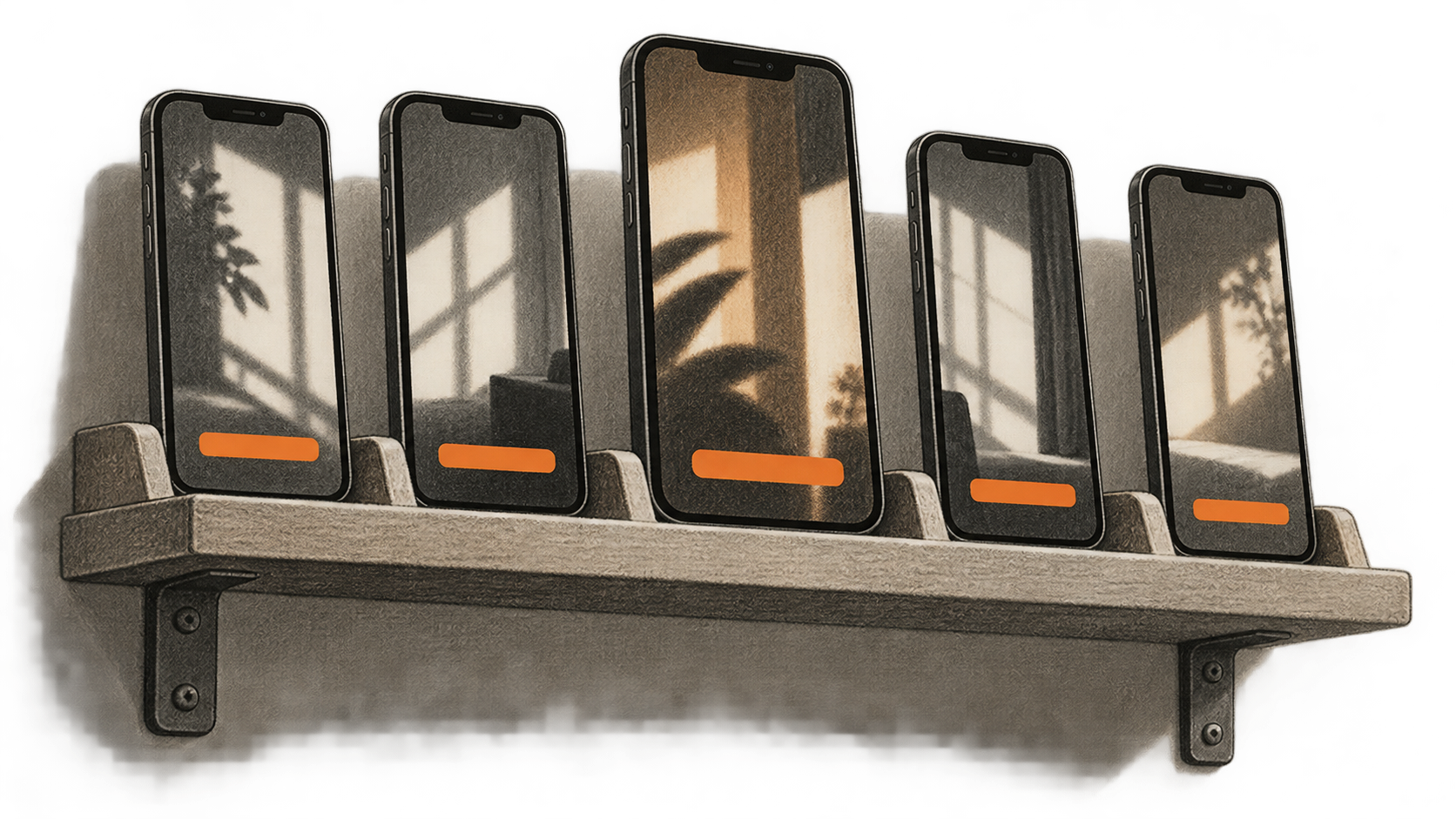
AI-generated conceptual illustration by BIG CHANGE.
एका ध्वनिचित्रमुद्रणातून अनेक छोट्या क्लिप मिळू शकतात; मात्र एखादा उतारा मूळ अर्थ प्रामाणिकपणे दाखवतो का हे लिप्यंतरण ठरवू शकत नाही आणि 1080 × 1920 निर्यात चांगल्या पाहण्याच्या अनुभवाचा पुरावा नसतो. हा मार्गदर्शक कामाचे पाच टप्पे करण्यासाठी Claude Code मधील पाच प्रकल्प स्किल हाताने चालवतो: लिप्यंतरण, क्रमवारी, कापणे, उपशीर्षके आणि रेंडरिंग. मानवी संपादक मूळातील प्रत्येक कालखंड मंजूर करतो आणि प्रत्येक तयार फाइल पूर्ण पाहतो. ही पद्धत तुमच्या मालकीच्या किंवा संपादन व वाटपाचे स्पष्ट हक्क असलेल्या व्हिडिओसाठी आहे.
ही zsh सह macOS Terminal साठी दस्तऐवजांवर आधारित कृतीपद्धती आहे. BIG CHANGE ने या आज्ञा चालवलेल्या नाहीत, खासगी चित्रण पाहिलेले नाही किंवा पाच फाइल तयार केलेल्या नाहीत. वापरण्यापूर्वी स्थापित साधनांची मदत आणि प्रत्यक्ष माध्यम तपासा. मुख्य चित्र निर्मात्याने तपासायच्या पाच उभ्या व्हिडिओंचे संकल्पनात्मक चित्रण आहे. त्या वास्तविक क्लिप, सॉफ्टवेअरचा परिणाम किंवा दस्तऐवजीकृत पद्धतीची BIG CHANGE चाचणी नाहीत.
## मोठा बदल
- **काय बदलले:** Claude Code प्रकल्प स्किल स्थानिक व्हिडिओ संपादनाचे हाताने चालवायचे पाच टप्पे करू शकतात. सुचवलेले हस्तांतरण अभिलेख मूळ वेळखुणा, मंजूर काप, दुरुस्त उपशीर्षके व अंतिम फाइल जोडतात; साधनांचे दस्तऐवज नेमकी ही साखळी यशस्वीरीत्या चालल्याचे सिद्ध करत नाहीत.
- **हे महत्त्वाचे का:** परवानगी असलेले मूळ चित्रण असलेला निर्माता मानवी संपादकाला प्रत्येक टप्प्यावर स्पष्ट निर्णय देऊ शकतो; त्यात पाच वेगवेगळे योग्य उतारे आहेत का हाही निर्णय येतो. त्यामुळे कमकुवत किंवा दिशाभूल करणारा काप उपशीर्षकांसह निर्यातीपूर्वी नाकारता येतो.
- **कशाकडे लक्ष द्यावे:** कोणताही परिणाम शेअर करण्याचा निर्णय हक्क, निवडलेल्या Claude खात्याचे डेटा धोरण आणि प्रत्येक जतन केलेली MP4 पूर्ण पाहणे यांवर अवलंबून असतो. फाइलची तांत्रिक तपासणी यशस्वी झाली तरी हे प्रश्न सुटत नाहीत.
## सुरुवात करण्यापूर्वी
वापरण्यायोग्य आवाज असलेली स्थानिक `source.mp4` , पुरेसा साठवण अवकाश, Claude Code प्रवेश, कार्यरत स्थानिक whisper.cpp `whisper-cli` व भाषेला समर्थ मॉडेल आणि आवश्यक एन्कोडर व फिल्टर असलेले FFmpeg आणि ffprobe लागतील. मूळ व पाचही निर्यात तपासू शकणारा संपादकही हवा. Claude Code खाते व डेटा धोरण, स्थापित आवृत्त्या, whisper.cpp commit किंवा बिल्ड, मॉडेलचा SHA-256 व परवाना आणि वापरमर्यादा नोंदवा. लिप्यंतरण व रेंडरिंग स्थानिक असूनही Claude Code होस्टेड मॉडेल वापरू शकतो. हक्क व खाते धोरण परवानगी देतात तेवढाच प्रतिलिपी किंवा माध्यम प्रवेश द्या. त्याच्या [स्किल सूचना](https://code.claude.com/docs/en/skills) प्रवेश मर्यादित करत नाहीत. स्वतंत्र [साधन परवानगी नियंत्रणे](https://code.claude.com/docs/en/permissions) साधन कॉल नियंत्रित करतात; सेटिंगनुसार सामान्य केवळ-वाचन कृती पुष्टी न मागता चालू शकतात. स्किल काय वाचू शकते तसेच काय लिहिण्याचा किंवा चालवण्याचा प्रस्ताव देते, हे जाणीवपूर्वक तपासा.
मूळाची न बदलणारी प्रत आणि `rights.json` नवीन विश्वसनीय स्थानिक कामाच्या फोल्डरमध्ये ठेवा. हक्कांच्या नोंदीत मूळ SHA-256, संपादक, परवानगीचे उतारे व पुढील वापर, वक्ते, संगीत व दृश्यांसाठी परवानग्या, साठवण व जतन नियम असावेत. हक्क अनिश्चित असताना पुढे जाऊ नका. त्या फोल्डरमध्ये Terminal उघडा, `pwd`तपासा, मग कामाचे फोल्डर तयार करा:
```shell
mkdir -p transcript clips captions shorts probes .claude/skills/video-transcribe .claude/skills/video-rank .claude/skills/video-cut .claude/skills/video-caption .claude/skills/video-vertical
command -v claude
command -v ffmpeg
command -v ffprobe
claude --version
ffmpeg -version
ffprobe -version
ffmpeg -hide_banner -h encoder=libx264
ffmpeg -hide_banner -h encoder=aac
ffmpeg -hide_banner -h filter=subtitles
ffmpeg -hide_banner -h filter=scale
```
ही मूल्ये `WHISPER_CLI` आणि `WHISPER_MODEL` अवतरणचिन्हांतील वास्तविक पूर्ण पथांवर ठेवा. `LANGUAGE` पडताळलेल्या बोलभाषेच्या कोडवर ठेवा, उदाहरणार्थ `en` केवळ इंग्रजी ध्वनीसाठी. मॉडेल त्या भाषेला समर्थ आहे याची खात्री करा; फक्त इंग्रजीचे `.en` मॉडेल दुसरी भाषा हाताळणार नाही. मिश्र किंवा असमर्थित भाषांसाठी पुढे जाण्यापूर्वी तपासलेली योजना हवी. [whisper.cpp CLI संदर्भ](https://github.com/ggml-org/whisper.cpp/blob/master/examples/cli/README.md) यात `-l`, `-m`, `-f`, `-osrt`, `-oj` आणि `-of`दिले आहेत; आपल्या बिल्डच्या मदतीशी पडताळा. भाषांतर पर्याय सुरू करू नका.
```shell
WHISPER_CLI='/absolute/path/to/whisper-cli'
WHISPER_MODEL='/absolute/path/to/approved-model.bin'
LANGUAGE='en'
test -x "$WHISPER_CLI"
test -r "$WHISPER_MODEL"
"$WHISPER_CLI" --help
ffprobe -v error -show_entries format=duration:stream=index,codec_type,codec_name,width,height,sample_aspect_ratio -of json source.mp4
```
काहीही चालवण्यापूर्वी उदाहरणातील पथ व भाषा बदला. मूळाचा कालावधी, प्रवाह, दिशा, आवाज व मोकळी जागा तपासा. स्थापित `subtitles` फिल्टर libass समर्थित करतो आणि `scale` मध्ये `force_original_aspect_ratio`, `force_divisible_by` आणि `reset_sar`चालतात याची खात्री करा. आवश्यक सुविधा नसल्यास देखभालकर्त्यांच्या बिल्ड सूचनांनुसार काम करून तपासण्या पुन्हा करा. न सांगता उपशीर्षके काढू नका.
## स्पष्ट मर्यादांच्या पाच प्रकल्प स्किल बनवा
विश्वसनीय प्रकल्पात पाच स्वतंत्र `.claude/skills/<name>/SKILL.md` फाइल जतन करा. प्रत्येकाला स्वतःचे `name`, `description`, `disable-model-invocation: true`, तसेच संपूर्ण इनपुट, कृती, आउटपुट व थांबण्याचा नियम हवा. या क्रमाने हाताने चालवा: `/video-transcribe`, `/video-rank`, `/video-cut`, `/video-caption`, `/video-vertical`. `allowed-tools`जोडू नका: Claude Code नुसार हे क्षेत्र आवाहनादरम्यान यादीतील साधने पुष्टीशिवाय वापरण्याची परवानगी देते; ते स्किलला मर्यादित करत नाही. सामान्य परवानगी सेटिंग ठेवा व प्रवेश जाणीवपूर्वक तपासा. केवळ-वाचन साधन पुष्टी मागणार नाही, तर लिहिणे व अंमलबजावणी खात्याच्या वास्तविक नियंत्रणांनुसार होतील.
खाली दिलेल्या सामायिक कार्यनोंदीसह हे संपूर्ण मजकूर वापरा. स्किलमधील गद्य Claude Code साठी सूचना आहे, तांत्रिकरीत्या लागू सीमा नाही.
**`.claude/skills/video-transcribe/SKILL.md`**
```markdown
---
name: video-transcribe
description: Transcribe the authorized local source for the five-short workflow.
disable-model-invocation: true
---
Input: rights.json, immutable source.mp4, checked source probe, verified language and local whisper.cpp executable/model. Confirm matching source and model hashes, usable audio and permitted access before any command.
Action: From the checked run directory, confirm source.wav and both transcript output paths do not exist. Extract mono 16 kHz 16-bit PCM source.wav with explicit first-audio mapping and no overwrite. Continue to whisper-cli only after a zero exit and valid WAV readback; use the verified model and explicit language, SRT and JSON output, and translation off. Inspect both outputs, parse source-relative times, and compare representative passages and uncertain names or quotes against source audio. Record a nonzero exit or uncertain output as a manifest blocker before any next stage.
Output: transcript/source.srt and transcript/source.json, recorded hashes, corrections or marked uncertainties, tool and model identity in manifest.json.
Stop: Missing rights, changed inputs, absent audio, empty or malformed transcript, or unverified relevant speech. Do not upload, publish or overwrite accepted files; ask the editor to settle uncertainty.
```
**`.claude/skills/video-rank/SKILL.md`**
```markdown
---
name: video-rank
description: Suggest source moments for human selection of five distinct clips.
disable-model-invocation: true
---
Input: Checked source transcript and hash, immutable source hash and probe duration, rights.json, intended audience. Verify all identities and authorized transcript access.
Action: Suggest more than five moments with numeric source-second start/end, source words, surrounding context and editorial rationale. Treat ranking as a suggestion, never a viral forecast. Have the editor open each candidate in the original and check speaker, wording, facts, context and rights. Record exactly five distinct coherent approved intervals and a rejected-candidate log.
Output: approved-moments.json with order, source hash and five numeric bounds satisfying 0 <= start < end <= source duration.
Stop: Fewer than five permissible, meaningful moments, mismatched hashes, uncertain bounds or missing human approval. Do not invent a fifth excerpt.
```
**`.claude/skills/video-cut/SKILL.md`**
```markdown
---
name: video-cut
description: Cut the five approved source intervals into separate local clips.
disable-model-invocation: true
---
Input: Immutable source.mp4, source hash/probe and five human-approved intervals. Verify hashes and calculate each duration as end minus start.
Action: For each 01-05, confirm its unique output path is unused, then transcode the approved source-relative interval with input -ss, -t duration, explicit first video/audio mapping, libx264, AAC and -n. Continue only on zero exit and file readback. Probe streams and duration, inspect first and last frames, and have the editor watch each whole cut for boundaries, sync and context. Record the exact command and output hash. Any failure or uncertain write is a manifest blocker; never pass that clip to captioning.
Output: Five accepted numbered clips, individual probe records and links to approved intervals in manifest.json.
Stop: Wrong bounds, absent stream, drift, misleading context, output collision or uncertain command result. Read back the existing path first; correct bounds with human approval and use a new filename. Never overwrite or reuse an old clip hash.
```
**`.claude/skills/video-caption/SKILL.md`**
```markdown
---
name: video-caption
description: Create and check local captions from each accepted clip.
disable-model-invocation: true
---
Input: Five accepted clip hashes, verified language and local model identity. Reject stale clips or mismatched source links.
Action: For each actual numbered clip 01-05, verify its accepted hash and unused WAV/raw-SRT paths, then extract its own mono 16 kHz 16-bit PCM WAV with -n. Run whisper-cli only after zero exit and WAV readback, with the matching language and SRT output; translation stays off. Preserve raw SRT. Have the editor correct words, names, numbers, cue timing, overlaps and readability against the actual clip, then save a distinct .checked.srt. Use clip-local times, not source-offset cues. Record failures as blockers before rendering.
Output: Five checked SRTs with raw-ASR and exact clip hash links in manifest.json.
Stop: Any cue outside clip duration, uncertain speech, bad alignment or stale clip hash. Repair and replay before rendering; a recut requires matching new captions.
```
**`.claude/skills/video-vertical/SKILL.md`**
```markdown
---
name: video-vertical
description: Render and review five captioned 1080x1920 MP4s.
disable-model-invocation: true
---
Input: Five accepted clip hashes/probes, matching checked SRT hashes, rights record and a human-approved crop or framing plan for each clip.
Action: Check decoded orientation and sample aspect ratio. Choose even integer crop width, height and x/y for each clip; require positive dimensions, nonnegative offsets and a rectangle within the decoded frame. A fixed crop does not track motion. Verify unique output and probe paths are unused. From the established run directory, render each separately with crop, aspect-preserving scale, pad, clip-local subtitles, explicit video/audio mapping, libx264, yuv420p, AAC and -n. Continue only on zero exit and saved-file readback. Create probe JSON without clobbering an existing path, reopen the MP4 and have the editor watch its entire video and audio, checking cut context, every caption, framing, sync, facts and rights. Record any failure or uncertain output as a blocker.
Output: Five distinct accepted 1080x1920 MP4s, hashes, probe JSON, exact source/clip/SRT lineage and UTC human acceptance notes.
Stop: Unknown orientation, invalid crop, missing filter, collision, unreadable file, silent audio, cut-off text, wrong duration, bad context or failed full playback. Inspect uncertain existing outputs; revise to a new filename, probe and watch again. No upload or publishing.
```
या कामासाठी एक `manifest.json` ठेवा. प्रत्येक हस्तांतरणात हक्क नोंद व न बदलणाऱ्या मूळाचा SHA-256, साधन आवृत्त्या, मॉडेल SHA-256/परवाना/भाषा, SHA-256 सहित इनपुट व आउटपुट, मंजूर संख्यात्मक मूळ कालखंड, नेमक्या आज्ञा व UTC निर्णय नोंदवा. फाइल नाव किंवा हॅश वेगळा असल्यास पुढच्या स्किलपूर्वी थांबून सोडवा.
खालील प्रत्येक shell खंड नवीन zsh स्क्रिप्ट किंवा नियंत्रित shell मधील एक टप्पा माना आणि `set -e` वापरा, म्हणजे आज्ञा अयशस्वी झाल्यास टप्पा थांबेल. चालवण्यापूर्वी प्रत्येक आउटपुट पथ न वापरलेला आहे याची खात्री करा. शून्येतर निर्गमन, गहाळ फाइल किंवा अनिश्चित लेखन manifest मध्ये अडथळा म्हणून नोंदवा. पुढील स्किलने ती स्थिती व आउटपुट हॅश वाचले पाहिजेत; जुनी क्लिप आहे म्हणून अयशस्वी काप स्वीकारू नये.
## 1. मूळाचे लिप्यंतरण करा
सध्या [whisper.cpp देखभालकर्त्यांचे README](https://github.com/ggml-org/whisper.cpp/blob/master/README.md) सांगते की CLI उदाहरणाला 16-बिट WAV लागतो. मूळ ध्वनीची खात्री करून पडताळलेल्या प्रकल्प फोल्डरमधून पुढील चालवा. `-n` FFmpeg ला विद्यमान WAV वर लिहिण्यापासून रोखतो.
```shell
set -e
test ! -e source.wav
test ! -e transcript/source.srt
test ! -e transcript/source.json
ffmpeg -i source.mp4 -map 0:a:0 -ar 16000 -ac 1 -c:a pcm_s16le -n source.wav
test -s source.wav
"$WHISPER_CLI" -m "$WHISPER_MODEL" -f source.wav -l "$LANGUAGE" -osrt -oj -of transcript/source
test -s transcript/source.srt
test -s transcript/source.json
```
दोन्ही फाइल `transcript/source.srt` आणि `.json` आहेत, वेळखुणांसह भाषण आहे व तपासलेल्या मूळ कालावधीत आहे याची खात्री करा. प्रतिनिधिक भाग ऐकून अनिश्चित नावे, संख्या व उद्धरणे मूळाशी पडताळा. दुरुस्त मूळ प्रतिलिपी किंवा स्पष्ट अनिश्चितता खुणा ठेवा. ध्वनी काढणे किंवा लिप्यंतरण रिकामे असल्यास नवीन अनन्य नावाच्या आउटपुटपूर्वी मूळ प्रवाह, चालवण्याची फाइल, भाषा व मॉडेल सुसंगती तपासा.
## 2. मूळातील पाच क्षण निवडा
तपासलेली प्रतिलिपी व प्रेक्षकवर्ग देऊन `/video-rank` चालवा. कमकुवत उतारे नाकारता यावेत म्हणून पाचपेक्षा जास्त उमेदवार मागा. प्रत्येक प्रस्तावात मूळाच्या प्रारंभापासून संख्यात्मक सेकंदांत सुरुवात व शेवट, बोललेला भाग, आधी-पुढचा संदर्भ आणि स्वतंत्र अर्थपूर्णतेचे कारण मागा. प्रत्येक कालखंड मूळात उघडा. कापामुळे वक्ता, शब्दरचना, दृश्यसंदर्भ, तथ्ये व परवानग्या टिकतात का ते संपादक ठरवतो. नेमके पाच स्वतंत्र मंजूर कालखंड `approved-moments.json`मध्ये जतन करा; क्रम, मूळ हॅश व `0 <= start < end <= source duration`समाविष्ट करा. प्रतिलिपीतील उतारा केवळ स्थानशोधक आहे. फक्त वेळखुणा शोधण्याच्या मर्यादित कामासाठी पाहा [व्हिडिओ संपादनापूर्वी बोललेला क्षण शोधा](https://bigchange.ai/blog/find-spoken-moment-before-video-editing).
रेकॉर्डिंगमध्ये पाच समर्थनीय क्षण नसल्यास थांबा. पाच फाइलचे काम अपूर्णच राहील.
## 3. मंजूर कालखंड कापा
ही स्किल चालवा: `/video-cut`. प्रत्येक कालखंडासाठी `DURATION = END - START` मंजूर संख्यात्मक सीमांवरून मोजा. खाली कोनीय कंसातील स्थानधारक वास्तविक अंकांनी बदला; स्थानधारक चालवण्यायोग्य मूल्ये नाहीत. `clip-02.mp4` ते `clip-05.mp4`यासाठी पुन्हा करा. FFmpeg मध्ये इनपुट शोध, कालावधी, स्पष्ट प्रवाह निवड आणि [विद्यमान फाइलवर न लिहिणारे आउटपुट वर्तन](https://ffmpeg.org/ffmpeg.html)वर्णिले आहे. अपेक्षित कापसीमांसाठी स्ट्रीम-कॉपीऐवजी ट्रान्सकोड करा.
```shell
set -e
test ! -e clips/clip-01.mp4
ffmpeg -ss <START_SECONDS> -i source.mp4 -t <DURATION_SECONDS> -map 0:v:0 -map 0:a:0 -c:v libx264 -c:a aac -n clips/clip-01.mp4
test -s clips/clip-01.mp4
```
प्रत्येक प्रत्यक्ष क्लिपचे प्रवाह व कालावधी तपासा, पहिली व शेवटची चौकट पाहा आणि मग संपूर्ण पाहा. हॅश व मंजूर मूळ कालखंड नोंदवा. चुकीच्या कापासाठी नव्याने मंजूर सीमा व नवीन आउटपुट नाव लागते. आज्ञा अयशस्वी किंवा परिणाम अनिश्चित असल्यास काही पुन्हा चालवण्यापूर्वी विद्यमान फाइल व probe तपासा; त्याच नावावर पुनर्लेखन करू नका.
## 4. प्रत्येक प्रत्यक्ष कापानुसार उपशीर्षके दुरुस्त करा
ही स्किल चालवा: `/video-caption`. प्रत्येक स्वीकारलेल्या क्लिपचे लिप्यंतरण करा, कारण उपशीर्षकांची शून्य वेळ क्लिपच्या सुरुवातीला हवी. क्लिप 01 साठी आज्ञा:
```shell
set -e
test ! -e captions/clip-01.wav
test ! -e captions/clip-01.srt
ffmpeg -i clips/clip-01.mp4 -map 0:a:0 -ar 16000 -ac 1 -c:a pcm_s16le -n captions/clip-01.wav
test -s captions/clip-01.wav
"$WHISPER_CLI" -m "$WHISPER_MODEL" -f captions/clip-01.wav -l "$LANGUAGE" -osrt -of captions/clip-01
test -s captions/clip-01.srt
```
02 ते 05 साठी प्रत्यक्ष जुळणारा दोन अंकी क्रमांक व स्वतंत्र पथ वापरून पुन्हा करा. प्रत्येक कच्ची `captions/clip-NN.srt`जतन करा. संपादक प्रत्येक उपशीर्षक क्लिपशी पडताळतो, शब्द, नावे व संख्या सुधारतो, वेळ व वाचनीयता तपासतो आणि `captions/clip-NN.checked.srt`जतन करतो. क्लिपच्या कालावधीबाहेरील उपशीर्षक रेंडर थांबवते. प्रत्येक SRT चा हॅश क्लिप हॅशशी जोडा. काप बदलल्यास नवीन फाइलनुसार उपशीर्षके पुन्हा तयार करा किंवा तपासा.
## 5. चौकट बदला, रेंडर करा व पाचही स्वीकारा
ही स्किल चालवा: `/video-vertical`. स्वीकारलेल्या प्रत्येक क्लिपची डीकोड प्रतिमा, दिशा, नमुना गुणोत्तर व हालचाल तपासा. संपादक प्रत्येक क्लिपसाठी स्वतंत्र सम पूर्णांक `CROP_W`, `CROP_H`, `CROP_X`, `CROP_Y`निवडतो. आयत डीकोड चौकटीत बसला पाहिजे. स्थिर क्रॉप हालणाऱ्या विषयामागे जात नाही; महत्त्वाचे दृश्य हरवल्यास तपासलेली स्केल-आणि-पॅड चौकट योजना निवडा किंवा काप बदला. फिरवण्याची दिशा किंवा क्रॉप निर्देशांक अस्पष्ट असल्यास रेंडर थांबवा. [FFmpeg फिल्टर मार्गदर्शक](https://ffmpeg.org/ffmpeg-filters.html) मध्ये crop, scale, pad आणि libass-आधारित subtitles फिल्टर आहेत.
निश्चित कामाच्या निर्देशिकेतून `CLIP` प्रत्यक्ष दोन अंकी क्रमांकावर व चार क्रॉप चल त्या क्लिपच्या मंजूर पूर्णांकांवर सेट करा. आज्ञा साचा आहे, चाचणी केलेले उदाहरण नाही. दाखवलेला साधा सापेक्ष उपशीर्षक पथ ठेवा; नावातील विशेष चिन्हांना स्वतंत्र filtergraph escaping लागते. 02 ते 05 साठी स्वतंत्रपणे करा.
```shell
set -e
setopt noclobber
CLIP=01
CROP_W=<CHECKED_EVEN_INTEGER>
CROP_H=<CHECKED_EVEN_INTEGER>
CROP_X=<CHECKED_EVEN_INTEGER>
CROP_Y=<CHECKED_EVEN_INTEGER>
test ! -e "shorts/short-${CLIP}.mp4"
test ! -e "probes/short-${CLIP}.json"
ffmpeg -i "clips/clip-${CLIP}.mp4" -map 0:v:0 -map 0:a:0 -vf "crop=${CROP_W}:${CROP_H}:${CROP_X}:${CROP_Y},scale=1080:1920:force_original_aspect_ratio=decrease:force_divisible_by=2:reset_sar=1,pad=1080:1920:(ow-iw)/2:(oh-ih)/2,subtitles=captions/clip-${CLIP}.checked.srt" -c:v libx264 -pix_fmt yuv420p -c:a aac -n "shorts/short-${CLIP}.mp4"
test -s "shorts/short-${CLIP}.mp4"
ffprobe -v error -show_entries format=duration:stream=index,codec_type,codec_name,width,height,sample_aspect_ratio -of json "shorts/short-${CLIP}.mp4" > "probes/short-${CLIP}.json"
test -s "probes/short-${CLIP}.json"
```
पाचही JSON probe फाइलमध्ये 1080 × 1920 व्हिडिओ प्रवाह, नमुना गुणोत्तर 1:1, ध्वनी प्रवाह आणि एन्कोडिंग/चौकट गोलाईनंतर मंजूर कापाशी सुसंगत धन कालावधी हवा. गहाळ किंवा अज्ञात मूल्य अनिर्णित आहे. [ffprobe चे JSON आउटपुट](https://ffmpeg.org/ffprobe.html) फाइलचे गुणधर्म तपासते, संपादनाचा दर्जा नाही. प्रत्येक MP4 पुन्हा उघडून पूर्ण पाहा आणि मूळ कालखंड, स्वीकारलेला काप व तपासलेली SRT यांच्याशी तुलना करा. वाक्यसीमा, सुरक्षित जागेसह उपशीर्षके, हालचालीतील चौकट, ध्वनी समकालिकता, तथ्ये व हक्क तपासा. manifest मध्ये UTC वेळेसह स्वीकार, दुरुस्ती किंवा नकार लिहा. मूळ हॅश, मंजूर कालखंड, क्लिप हॅश, तपासलेला SRT हॅश व probe JSON शी जोडलेल्या पाच स्वीकारलेल्या फाइल म्हणजे काम पूर्ण. चार स्वीकारलेल्या फाइल पुरेशा नाहीत.
## मर्यादा व पुनर्प्राप्ती
Claude Code प्रवेशावर प्लॅन किंवा API शुल्क आणि वापरमर्यादा असू शकतात. डाउनलोड केलेले स्थानिक मॉडेल, लिप्यंतरण, ट्रान्सकोडिंग व अनेक सुधारणा साठवण व संगणन वापरतात. खाते दाखवत असल्यास वास्तविक शुल्क नोंदवा; अज्ञात खर्च शून्य नसतो. या पद्धतीचा वेग, अचूकता, उपशीर्षक गुणवत्ता, बचत किंवा लोकप्रियता मोजलेली नाही.
मूळ व स्वीकारलेले परिणाम जतन करा. मॉडेल गहाळ, पर्याय असमर्थित, प्रतिलिपी चुकीची, रेंडर अयशस्वी किंवा लेखन अनिश्चित असल्यास बदलापूर्वी अचूक इनपुट हॅश व विद्यमान फाइल पाहा. नेमके कारण दुरुस्त करा, बदलाला नवीन पथ द्या आणि probe व पूर्ण पाहणे पुन्हा करा. मानवी संपादकाने मजकूर व हक्क स्वीकारेपर्यंत तयार छोटा व्हिडिओ अपलोड किंवा शेअर करू नका.
## Sources
- [Claude Code स्किल](https://code.claude.com/docs/en/skills) — Anthropic प्रकल्प SKILL.md, हाताने चालवणे आणि allowed-tools मुळे तात्पुरता पुष्टीविरहित साधन वापर यांचे दस्तऐवजीकरण करते. त्यातून कोणत्याही व्हिडिओ पद्धतीचा परिणाम सिद्ध होत नाही.
- [Claude Code परवानग्या](https://code.claude.com/docs/en/permissions) — Anthropic स्वतंत्र परवानगी प्रणाली स्पष्ट करते. स्किलचे गद्य माध्यम प्रवेश किंवा अपलोड सीमा लागू करत नाही; पुष्टीशिवाय होणाऱ्या केवळ-वाचन प्रवेशासह खाते व प्रकल्प सेटिंग वापरकर्त्यांनी तपासाव्यात.
- [whisper.cpp README](https://github.com/ggml-org/whisper.cpp/blob/master/README.md) — देखभालकर्त्यांचे बिल्ड/मॉडेल मार्गदर्शन आणि सध्याचे whisper-cli उदाहरण 16-बिट WAV इनपुट व FFmpeg रूपांतरणाची अट सांगते. स्थापित बिल्ड व मॉडेल स्वतंत्र तपासा.
- [whisper.cpp CLI README](https://github.com/ggml-org/whisper.cpp/blob/master/examples/cli/README.md) — देखभालकर्त्यांच्या CLI मध्ये -m, -f, -l, -osrt, -oj, -of आणि -tr आहेत. मार्गदर्शक तपासलेली भाषा ठेवतो व भाषांतर बंद करतो; स्थानिक लिप्यंतरण योग्य शब्द किंवा वेळेची हमी देत नाही.
- [FFmpeg कमांड-लाइन दस्तऐवज](https://ffmpeg.org/ffmpeg.html) — इनपुट शोध, -t, स्पष्ट -map, ट्रान्सकोडिंग व -n साठी संदर्भ. प्रत्यक्ष सीमा व आउटपुट तपासावे लागतात; स्ट्रीम कॉपी ठरवलेली कापपद्धत नाही.
- [FFmpeg फिल्टर दस्तऐवज](https://ffmpeg.org/ffmpeg-filters.html) — crop, scale, pad व subtitles साठी संदर्भ. subtitles फिल्टरला libass व पूरक लायब्ररी लागतात; स्थापित बिल्डमध्ये आवश्यक scale पर्याय आहेत का पाहा.
- [ffprobe दस्तऐवज](https://ffmpeg.org/ffprobe.html) — यंत्र-वाचनीय प्रवाह व स्वरूप आउटपुटचा संदर्भ. probe कापाचा संदर्भ, उपशीर्षक वाचनीयता, समकालिकता, तथ्यांची अचूकता किंवा हक्क सिद्ध करत नाही.
- [व्हिडिओ संपादनापूर्वी बोललेला क्षण शोधा](https://bigchange.ai/blog/find-spoken-moment-before-video-editing) — संबंधित BIG CHANGE लेख वेळखुणांची प्रतिलिपी शोधतो. हा मार्गदर्शक पाच मंजूर काप, स्थानिक उपशीर्षके, उभे रेंडरिंग व पूर्ण परीक्षणापर्यंत जातो; हे स्वतंत्र काम आहे, त्याच घटनेचा दिनांकित पुढचा भाग नाही.
BIG CHANGE वृत्तपत्र
मोठे चित्र. तुमच्या गतीने.
AI आणि रोबोटिक्सवरील ताज्या बातम्या, पाहण्यासारखे बदल आणि वापरता येतील अशा व्यावहारिक कल्पना. दैनिक माहिती, साप्ताहिक सारांश किंवा मासिक दृष्टिकोन निवडा.
पुढील नियोजित पाठवणी (UTC): . तुम्ही पुष्टी केल्यानंतर पुढील नियोजित पाठवणीच्या वेळी पहिला अंक मिळेल.
तुमची गोपनीयता, तुमची निवड.
आवश्यक स्टोरेज साइट सुरक्षित ठेवण्यास आणि तुमच्या निवडी लक्षात ठेवण्यास मदत करते. तुमची परवानगी मिळेपर्यंत पर्यायी Google Analytics बंद राहते. फक्त आवश्यक स्टोरेज वापरून प्रत्येक लेख वाचता येतो. गोपनीयतेचा तपशील