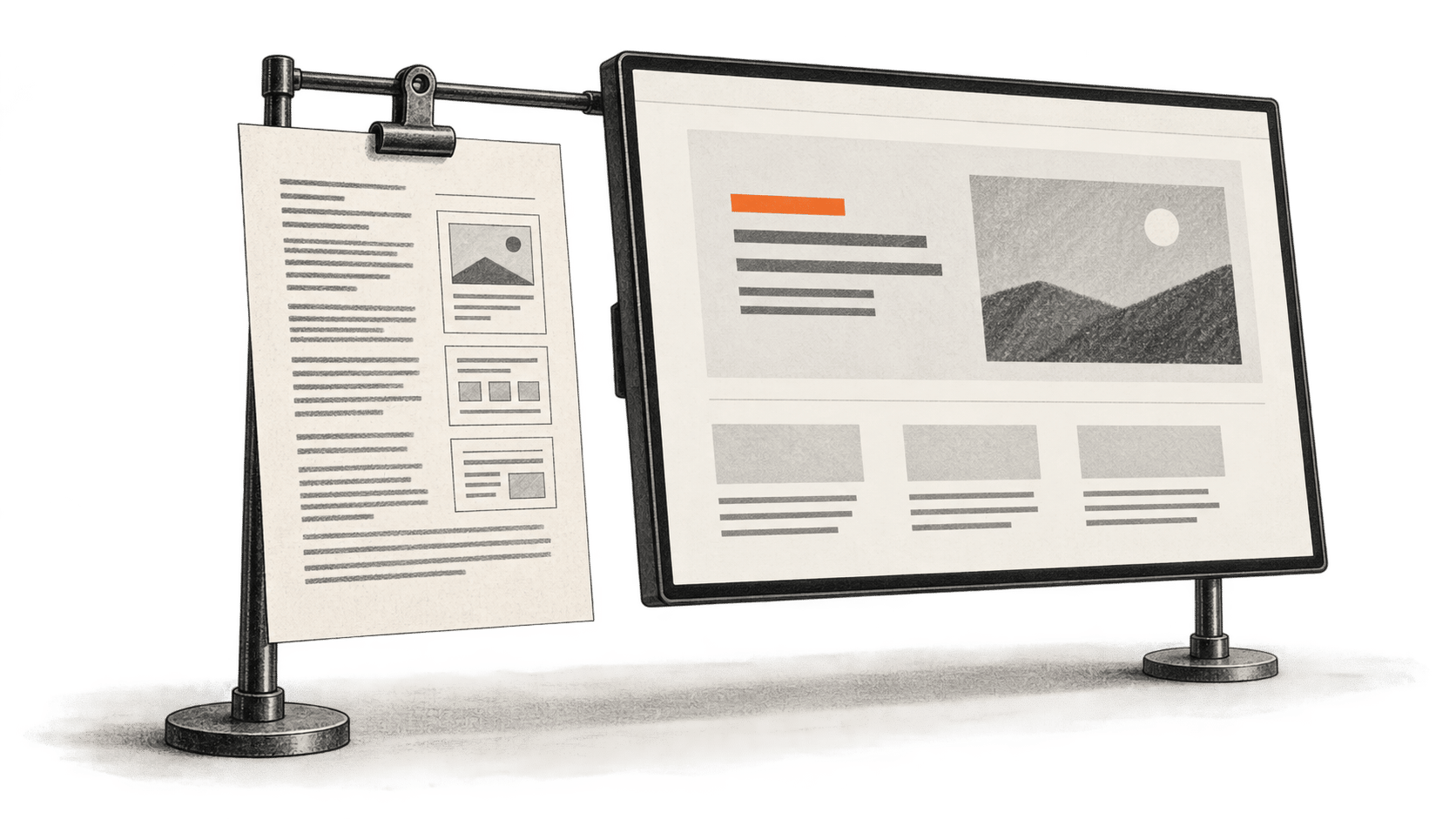
An existing page gives you something specific to improve and something specific to protect. VoltAgent's Awesome DESIGN.md collection offers plain-text analyses of public websites that you can show to an AI coding agent. This guide uses one file from the repository's 14 October 2026 commit as a visual reference for a bounded Claude Code edit. The result counts only when you inspect the changed code and the rendered page yourself.
BIG CHANGE reviewed the pinned repository and Claude Code documentation. We did not run Claude Code, edit a page, measure the time or inspect a generated result. The pinned tree contains 84 direct design-md/*/DESIGN.md files; the number describes that commit, not a standing catalog size.
The big change
- What changed: A single, version-pinned design analysis can be supplied as explicit context for an edit to one owned page.
- Why it matters: The owner can borrow a useful layout or spacing idea while checking the result against the page's real content, identity and behavior.
- What to watch: The reference is community analysis. Its brand details and even some of its internal instructions may be wrong or unsuitable for your page.
Before you start
You need a page and repository you may edit, a working copy or branch, a way to render the page locally, and access to Claude Code through an eligible account or provider. Know which page file you intend to change and how your project normally starts and checks that page. Write down its audience, essential copy and links, approved colors, fonts and logo, and the one visual problem you want to solve. Keep those owner decisions beside the working copy so you can judge the proposed edit.
Check your account's data policy and tool permissions before supplying private client material. Claude Code processes prompts and project content under the account's terms; a local project does not make the model session local-only. Confirm that you are allowed to share any private copy, assets or code the task would expose.
Use one reference on one page
- Open the pinned collection README. Choose one
design-md/<name>/DESIGN.mdthat offers an idea relevant to your page's stated problem. Read the entire file before using it. The Notion example shows the format: layout, type, spacing and component suggestions. It also describes both pill and rectangular button treatments. That conflict is a reason to make your own decision, not to ask Claude Code to obey every line. - Copy that one pinned
DESIGN.mdinto the working project, for example atdesign-reference/DESIGN.md. Record the original URL, path and commit3b605329240ce735b510037cca322f1831fdd7f8beside it. Preserve the repository's MIT copyright and permission notice with the copy. The Markdown reference itself needs no package installation. The license covers the repository material; it does not grant use of a represented company's logo, font files, imagery or trademark. - From the owned project, open Claude Code and explicitly give it the copied file as context. Anthropic documents file references and separate project instruction files; placing a standalone
DESIGN.mdin a folder does not establish that Claude Code loaded it. Replace the bracketed page path and owner rules below with real values, and confirm Claude Code has read the reference before accepting a change.
Read @design-reference/DESIGN.md as a visual reference. Edit only [path/to/owned-page] and the existing styles that page needs. Improve [one specific layout or hierarchy problem]. Keep the page's current audience, approved copy, links, brand colors, font and logo. Use only layout, hierarchy or spacing ideas that fit those rules. Do not copy the example site's name, assets or identity. Preserve working interactions and keyboard access. Show the proposed file changes and tell me how to render and check this page with this project's existing commands.- Read the proposed diff before running or accepting it. Check every changed file, copy and link. Reject a new dependency, asset or unrelated page edit you did not ask for. Use the project's own documented run command to render the page. Open it at a desktop width and a phone width; inspect the actual page rather than a description of what the agent intended.
- Compare the rendered result with your written requirements. Check that the intended text and links remain, headings have a useful order, text and controls have adequate contrast, and the phone layout has no clipped content or sideways scroll. Use a keyboard to reach and operate links, buttons, menus and forms that the edit touched. Exercise any changed interaction, including its visible focus and error states. Record the page revision, widths, checks performed and defects. Accept the edit only after the checks pass for your page.
If Claude Code misses the reference, point to the file again and ask it to identify the particular sections it used. If the reference conflicts with your brand rules, remove that direction from the request and revise the affected page code. If a link, focus path or interaction breaks, restore the previous working behavior and make a smaller edit. If you cannot render the page or inspect the result, keep the change unaccepted until you can.
The collection is a set of community descriptions of other sites, supplied as-is by its maintainers. Its Notion file includes conflicting button geometry, undocumented hover behavior and a suggested lint command that this guide has not verified. Use your project's known checks, not that suggested command. Claude Code usage and any later hosting or asset costs depend on your account and project; neither an edit time nor a finished design quality is established here.
For another approach to AI-assisted page work, our Genspark prototype guide covers copying a hosted prototype and inspecting its exported source ZIP. That task starts from a different artifact and has a different finish line.
Sources & further reading
- VoltAgent's pinned README describes the collection and its as-is, public-site analysis. The file count comes from the pinned recursive tree, not a claim about future versions.
- The pinned Notion
DESIGN.mdillustrates the reference format and its internal conflicts. It is neither Notion's approved specification nor a source of rights to Notion assets. - The repository's MIT license requires its copyright and permission notice in copies or substantial portions.
- Anthropic's Claude Code quickstart, file-reference guidance and project-instruction documentation establish access and explicit context. They do not verify this page edit or automatic loading of the standalone reference.
- Anthropic's cost, data-use and permission documentation explains account-dependent usage and controls. No session, bill or resulting page was tested for this guide.