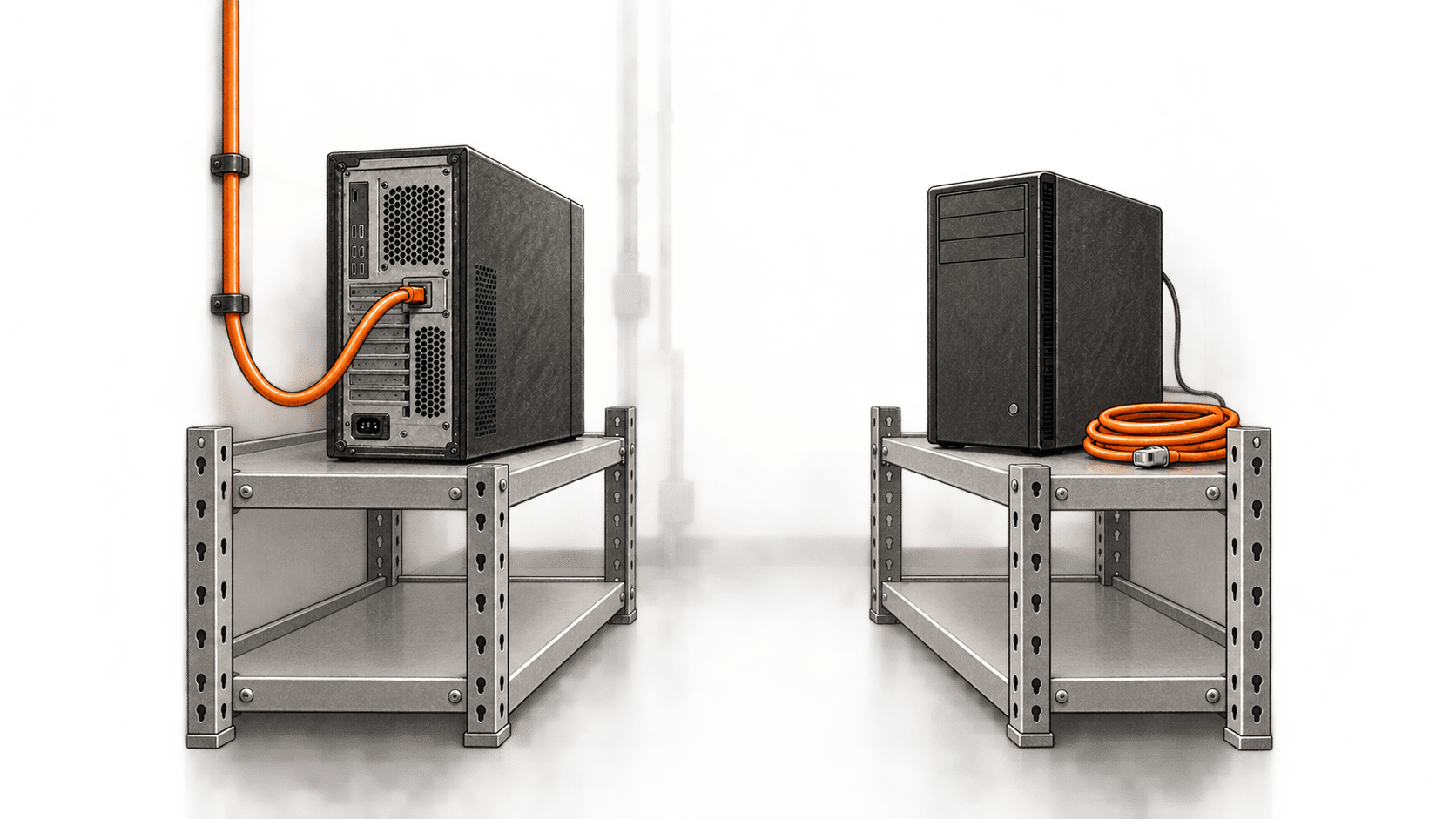
This guide is for a self-hosted Hermes Agent operator who can administer the Linux account and private GitHub repository. The outcome is specific: a full Hermes user-data archive, encrypted before it leaves the host, confirmed at the intended private remote, and retrieved and imported on a separate disposable machine. It is a documented procedure for the Hermes CLI at commit 86fa9e6, checked 19 October 2026. BIG CHANGE checked the sample’s shell syntax and control flow with inert local fixtures; it has not run a real Hermes backup, age encryption, GitHub push, scheduled fire or restore. Treat the backup as proven for your installation only after you perform every check below.
The big change
- What changed: Hermes’ full backup command can collect its working data into a ZIP, while its no-agent cron mode can run a reviewed script. Together they allow an operator to build a scheduled, encrypted copy without making an AI model perform the backup.
- Why it matters: The operator can check three separate facts: Hermes completed the archive, the ciphertext reached the intended private repository, and a fresh installation can import it. Each check catches a different kind of failure. The archive still excludes the application and some machine-local data.
- What to watch: The practical decision is whether the archive and growing Git history stay small enough for this constrained route. A failed recovery drill or either size stop calls for a different storage plan before relying on the schedule.
1. Prepare the host, key and repository
Use Linux with Bash, GNU stat -c and du -sb, plus an installed Hermes CLI, Git, GitHub CLI (gh), age, unzip, sha256sum, SSH and an active Hermes gateway for cron. Confirm the installed hermes backup, hermes import and hermes cron create --help match the pinned CLI reference, FAQ and cron manual. Identify the OS user and HERMES_HOME that own the gateway. Run all host setup and the first manual backup as that user. The example assumes one dedicated, clean Git clone and a main branch.
Hermes’ full backup includes configuration, credentials, memories, skills, sessions and profiles under its data root. It omits the Hermes code and dependency/runtime downloads, previous backups, checkpoints, browser credential profiles, SQLite sidecars and some machine-local files. It does not collect unrelated files elsewhere on the host. Do not use --quick for this full-data outcome. Review anything important outside that boundary and protect it separately. The ZIP contains secrets even when the destination repository is private.
Generate an age identity, the private key needed to decrypt the archive, in a protected location outside HERMES_HOME, the staging directory and Git clone. Keep an independently stored recovery copy of that identity. The printed age1… recipient is public and goes into the configuration; the identity does not. Follow the age usage reference.
umask 077
install -d -m 700 /PRIVATE-KEY-STORE
age-keygen -o /PRIVATE-KEY-STORE/hermes-backup-identity.txt
age-keygen -y /PRIVATE-KEY-STORE/hermes-backup-identity.txt
Create a private repository for only this backup, check who has access, and arrange noninteractive gh read access and Git SSH write access for the same OS user that runs Hermes cron. Keep tokens and SSH private keys outside Hermes data, staging and Git. An interactive login under another account does not establish scheduled access. Replace the uppercase placeholders before running these examples. If repository creation already made a README or main branch, inspect it and skip the conflicting initialization commands.
gh repo create ACCOUNT/PRIVATE-REPOSITORY --private --clone
gh repo view ACCOUNT/PRIVATE-REPOSITORY --json isPrivate --jq .isPrivate
cd PRIVATE-REPOSITORY
git remote set-url origin git@github.com:ACCOUNT/PRIVATE-REPOSITORY.git
git remote get-url --all origin
git remote get-url --push --all origin
git branch -M main
printf '%s\n' 'Encrypted Hermes backup storage; ciphertext and checksum only.' > README.md
git add README.md
git commit -m 'Initialize private backup repository'
git push -u origin HEAD:main
git ls-remote --heads origin main
gh repo create --clone can select HTTPS from local preferences; the explicit SSH remote above selects this recipe’s destination. Continue only after isPrivate returns true, the collaborators are intended, the effective fetch and push URL each equal the one reviewed SSH URL, and remote access succeeds as the scheduled user. Git remote rules allow URL rewrites, extra destinations and a separate pushurl; the script below checks raw and effective values on every run.
Leave the clone before saving the next two code blocks. Create a private setup directory outside the Hermes data root, Git clone, staging directory and key store. Save hermes-github-backup.sh and hermes-github-backup.conf there; the install commands below copy them into the owning profile. The dedicated Git clone must stay clean.
install -d -m 700 /ABSOLUTE/PRIVATE-SETUP
cd /ABSOLUTE/PRIVATE-SETUP
2. Install the reviewed backup script
Save the entire Bash block below as hermes-github-backup.sh in that private setup directory. Save the second block as hermes-github-backup.conf beside it after replacing every placeholder with an absolute path or the public recipient. This is a locally reviewed shell configuration, so inspect it before sourcing it and give it owner-only permissions. It must contain no password, token or private age identity. The script is the complete proposed sample; the syntax and inert control flow were checked, but adapt and test it on your own installation. The latest.zip.age ciphertext it produces is the encrypted archive.
#!/usr/bin/env bash
# Documentation-based Linux sample for an operator to review and adapt.
# Place with hermes-github-backup.conf under the owning HERMES_HOME/scripts/.
# Requires GNU stat -c and du -sb. Git Bash was used only for inert fixtures.
set -Eeuo pipefail
umask 077

script_dir=$(CDPATH= cd -- "$(dirname -- "${BASH_SOURCE[0]}")" && pwd -P)
owning_home=$(CDPATH= cd -- "$script_dir/.." && pwd -P)
if [[ -n ${HERMES_HOME:-} && $(CDPATH= cd -- "$HERMES_HOME" && pwd -P) != "$owning_home" ]]; then
  printf 'Backup stopped: cron profile and script directory differ.\n' >&2
  exit 1
fi
export HERMES_HOME="$owning_home"

config="$script_dir/hermes-github-backup.conf"
[[ -f "$config" ]] || { printf 'Backup stopped: reviewed configuration missing.\n' >&2; exit 1; }
# This file is local, owner-reviewed shell configuration. It must contain no secret.
# shellcheck source=/dev/null
source "$config"
: "${HERMES_BIN:?set an absolute Hermes executable path}"
: "${REPO_DIR:?set an absolute private clone path}"
: "${STAGING_PARENT:?set an absolute private staging path}"
: "${AGE_RECIPIENT:?set an age public recipient}"
: "${EXPECTED_REMOTE:?set the exact private GitHub SSH remote}"
: "${BRANCH:=main}"

fail() { printf 'Backup stopped: %s.\n' "$1" >&2; exit 1; }
for path in "$HERMES_BIN" "$REPO_DIR" "$STAGING_PARENT"; do
  [[ $path == /* ]] || fail 'a configured path is not absolute'
done
[[ -x "$HERMES_BIN" ]] || fail 'Hermes executable unavailable'
[[ $AGE_RECIPIENT == age1* ]] || fail 'age public recipient invalid'
[[ $EXPECTED_REMOTE == git@github.com:*/*.git ]] || fail 'remote is not the reviewed GitHub SSH URL'
[[ $BRANCH =~ ^[a-zA-Z0-9._/-]+$ ]] || fail 'branch name invalid'
[[ -d "$STAGING_PARENT" ]] || fail 'staging directory unavailable'
stage_parent=$(CDPATH= cd -- "$STAGING_PARENT" && pwd -P)
[[ $stage_parent != "$owning_home" && $stage_parent != "$owning_home"/* ]] || fail 'staging is inside Hermes data'

# Atomic, nonblocking whole-flow lock: keep it through push and remote readback.
# A stale directory after a crash requires operator inspection; never steal it.
lockdir="$stage_parent/.hermes-github-backup-flow.lock"
mkdir -- "$lockdir" 2>/dev/null || fail 'another backup flow holds the lock or a stale lock needs review'
work=''
cleanup() {
  if [[ -n $work ]]; then
    rm -f -- "$work/hermes.zip" "$work/latest.zip.age" "$work/latest.sha256" "$work/backup.log"
    rmdir -- "$work" 2>/dev/null || true
  fi
  rmdir -- "$lockdir" 2>/dev/null || true
}
trap cleanup EXIT

[[ -d "$REPO_DIR/.git" ]] || fail 'Git repository unavailable'
repo=$(CDPATH= cd -- "$REPO_DIR" && pwd -P)
[[ $repo != "$owning_home" && $repo != "$owning_home"/* ]] || fail 'repository is inside Hermes data'
[[ $stage_parent != "$repo" && $stage_parent != "$repo"/* ]] || fail 'staging is inside Git repository'
[[ $repo != "$stage_parent"/* ]] || fail 'Git repository is inside staging'

command -v age >/dev/null || fail 'age unavailable'
command -v gh >/dev/null || fail 'GitHub CLI unavailable for private visibility check'
command -v unzip >/dev/null || fail 'zip verifier unavailable'
command -v git >/dev/null || fail 'Git unavailable'
remote_repo=${EXPECTED_REMOTE#git@github.com:}
remote_repo=${remote_repo%.git}
visibility=$(gh repo view "$remote_repo" --json isPrivate --jq .isPrivate 2>/dev/null) || fail 'GitHub repository visibility unreadable'
[[ $visibility == true ]] || fail 'GitHub repository is not confirmed private'
raw_fetch_urls=$(git -C "$repo" config --get-all remote.origin.url) || fail 'Git fetch URL missing'
[[ $raw_fetch_urls == "$EXPECTED_REMOTE" ]] || fail 'Git has multiple or unexpected raw fetch URLs'
raw_push_urls=$(git -C "$repo" config --get-all remote.origin.pushurl || true)
[[ -z $raw_push_urls ]] || fail 'separate Git pushurl requires independent review'
effective_fetch_urls=$(git -C "$repo" remote get-url --all origin) || fail 'effective fetch URL unreadable'
effective_push_urls=$(git -C "$repo" remote get-url --push --all origin) || fail 'effective push URL unreadable'
[[ $effective_fetch_urls == "$EXPECTED_REMOTE" ]] || fail 'Git fetch URL rewrite or extra destination'
[[ $effective_push_urls == "$EXPECTED_REMOTE" ]] || fail 'Git push URL rewrite or extra destination'
[[ $(git -C "$repo" branch --show-current) == "$BRANCH" ]] || fail 'local branch changed'
[[ -z $(git -C "$repo" status --porcelain --untracked-files=all) ]] || fail 'repository has unrelated changes'

# No interactive prompt is possible in an unattended Hermes cron tick.
export GIT_TERMINAL_PROMPT=0
export GIT_SSH_COMMAND='ssh -o BatchMode=yes'
remote_head=$(git -C "$repo" ls-remote --heads origin "$BRANCH" | awk '{print $1}')
[[ -n $remote_head && $remote_head == "$(git -C "$repo" rev-parse HEAD)" ]] || fail 'remote unreadable or branch has changed'

work=$(mktemp -d "$stage_parent/hermes-backup.XXXXXXXX") || fail 'private staging creation failed'

if "$HERMES_BIN" backup -o "$work/hermes.zip" >"$work/backup.log" 2>&1; then
  :
else
  backup_rc=$?
  fail "Hermes full backup returned $backup_rc; temporary zip/log will be removed, so diagnose with a separate controlled manual run"
fi
[[ -s "$work/hermes.zip" ]] || fail 'Hermes archive absent or empty'
unzip -tq "$work/hermes.zip" >"$work/backup.log" 2>&1 || fail 'zip integrity check failed'
age -r "$AGE_RECIPIENT" -o "$work/latest.zip.age" "$work/hermes.zip" >"$work/backup.log" 2>&1 || fail 'archive encryption failed'
[[ -s "$work/latest.zip.age" ]] || fail 'encrypted archive absent or empty'

# Deliberately below GitHub's 50 MiB warning. Git history retains every version.
cipher_bytes=$(stat -c %s "$work/latest.zip.age")
(( cipher_bytes <= 40000000 )) || fail 'encrypted archive exceeds this small-repository recipe'
git_bytes=$(du -sb "$repo/.git" | awk '{print $1}')
(( git_bytes + cipher_bytes + 10000000 <= 500000000 )) || fail 'repository history approaches the review limit'
hash=$(sha256sum "$work/latest.zip.age" | awk '{print $1}')
printf '%s  latest.zip.age\n' "$hash" >"$work/latest.sha256"

cp -- "$work/latest.zip.age" "$repo/latest.zip.age"
cp -- "$work/latest.sha256" "$repo/latest.sha256"
git -C "$repo" add -- latest.zip.age latest.sha256
staged=$(git -C "$repo" diff --cached --name-only)
[[ $staged == $'latest.sha256\nlatest.zip.age' ]] || fail 'staged paths are not the two reviewed files'
git -C "$repo" diff --cached --check >/dev/null || fail 'staged content check failed'
git -C "$repo" commit -m "Encrypted Hermes backup $(date -u +%Y-%m-%dT%H:%M:%SZ)" >/dev/null || fail 'local backup commit failed'
run_head=$(git -C "$repo" rev-parse HEAD)
(( $(du -sb "$repo/.git" | awk '{print $1}') <= 500000000 )) || fail 'Git history exceeds review limit before push'
[[ $(git -C "$repo" rev-parse HEAD) == "$run_head" ]] || fail 'local HEAD changed before push'
git -C "$repo" push origin "$run_head:refs/heads/$BRANCH" >/dev/null || fail 'remote push failed; inspect exact remote before retrying'
remote_head=$(git -C "$repo" ls-remote --heads origin "$BRANCH" | awk '{print $1}')
[[ $remote_head == "$run_head" ]] || fail 'this run commit not confirmed at remote'
printf 'Encrypted backup verified at private remote commit %s.\n' "$run_head"# No passwords, tokens, age identities or private keys belong here.
HERMES_BIN=/absolute/path/to/hermes
REPO_DIR=/absolute/path/to/dedicated-private-github-clone
STAGING_PARENT=/absolute/path/to/private-staging-outside-hermes-and-git
AGE_RECIPIENT=age1replace_with_operator_public_recipient
EXPECTED_REMOTE=git@github.com:ACCOUNT/PRIVATE-REPOSITORY.git
BRANCH=mainCreate staging outside both the Hermes data root and Git clone. Put the reviewed files under the owning profile’s scripts/ directory. Make the clone clean and aligned with remote main before each run. The script locks its whole flow through push and readback; it never steals a held or stale lock. It accepts only latest.zip.age and latest.sha256 as newly staged backup paths. It stops when ciphertext exceeds 40,000,000 bytes or local .git plus headroom approaches 500,000,000 bytes. These are conservative limits of this sample, not GitHub storage guarantees.
export HERMES_HOME=/absolute/path/to/owning-hermes-data-root
install -d -m 700 /ABSOLUTE/PRIVATE-STAGING
install -d -m 700 "$HERMES_HOME/scripts"
install -m 700 hermes-github-backup.sh "$HERMES_HOME/scripts/hermes-github-backup.sh"
install -m 600 hermes-github-backup.conf "$HERMES_HOME/scripts/hermes-github-backup.conf"
"$HERMES_HOME/scripts/hermes-github-backup.sh"
The manual run should exit zero and print the commit created by that run after a fresh remote readback. Confirm gh repo view still reports private, inspect the clone’s tracked paths and verify the exact commit on the intended remote. A local archive or local commit is not an offsite result. A stopped run must not be recorded as one. Hermes says full backup returns 0 only when every selected file was added, 1 for an incomplete archive (even if a ZIP exists) and 2 when another backup runs. The script discards its temporary ZIP and log on exit; ordinary deletion is not secure erasure. For a skipped-file failure, investigate with a separate controlled manual hermes backup -o /PRIVATE-DIAGNOSTIC/hermes.zip, inspect its exit status and report, and decide how to protect any omitted material.
3. Schedule it and inspect the first due run
Only after the manual result, use Hermes’ documented --no-agent --script mode from the same profile. It runs a file without an LLM turn. Give the job a deliberate cadence and local, nonsecret status delivery. Check the gateway OS identity, profile and next due time. Hermes says the script timeout resolves from HERMES_CRON_SCRIPT_TIMEOUT, then cron.script_timeout_seconds, then a 3,600-second default. Set and check a value that fits an observed run; a timeout is failure. The sanitized script environment does not automatically receive Hermes-managed provider credentials, so verify gh and SSH unattended access under the actual scheduled user before depending on it.
hermes cron create '0 3 * * *' --no-agent --script hermes-github-backup.sh --deliver local --name 'Encrypted Hermes backup'
hermes cron list
hermes cron status
hermes cron doctor
After the first scheduled due time, inspect the exact job ID and run record, the local output (under ~/.hermes/cron/output/ for the default profile), any incident record, and the intended remote’s head commit. Confirm the gateway remained available and the run reported the remote commit produced by that fire. A manual invocation does not establish that cron ran. A missing output calls for inspecting that job and gateway, not creating a second schedule. Keep status messages free of ZIP contents, secrets and credentials.
4. Prove retrieval and import on a fresh machine
Use a separate disposable Linux machine with no production Hermes profile or gateway. Install a compatible Hermes release there first: this archive is user data, not an application or runtime image. Give the test machine independent authorized read access to the intended private repository and the independently held age identity. Confirm the clone’s remote and selected commit. Do not run hermes import on the source host or an existing profile. Keep all recovered schedules and external actions inactive until a person reviews their destinations and decides whether to activate them.
umask 077
unset HERMES_HOME
git clone git@github.com:ACCOUNT/PRIVATE-REPOSITORY.git /PRIVATE-RECOVERY/hermes-backup-clone
cd /PRIVATE-RECOVERY/hermes-backup-clone
sha256sum -c latest.sha256
age --decrypt -i /PRIVATE-KEY-STORE/hermes-backup-identity.txt -o /PRIVATE-RECOVERY/hermes.zip latest.zip.age
unzip -tq /PRIVATE-RECOVERY/hermes.zip
hermes import /PRIVATE-RECOVERY/hermes.zip
hermes setup
hermes cron list
Check the imported profiles, skills, memories, sessions and cron definitions against what you intended to protect. hermes setup checks provider configuration, but inspect any credentials or machine-specific paths that need adjustment. Record the actual results. A matching checksum and decryptable ZIP alone do not prove a usable restore. Remove the plaintext test ZIP after the drill under your local handling policy; ordinary deletion carries no secure-erasure promise.
When the checks stop
An incomplete Hermes backup, ZIP or encryption error, unexpected effective Git URL, nonprivate or unreadable repository, held flow lock, size stop, failed push, mismatched remote commit or failed import leaves this run unconfirmed. Resolve the particular cause and recheck current state before another attempt. If a push outcome is uncertain, inspect the exact remote branch and commit first. If the flow lock remains after a crash, inspect for a live process and local/remote state; never delete a live lock. If the private age identity is lost, an independent valid copy is needed to decrypt the archives. Rotate exposed credentials first if plaintext secrets enter Git; deleting a later file does not remove earlier history or other clones.
GitHub’s large-file guidance warns at 50 MiB, blocks ordinary Git files above 100 MiB, and says Git is not designed as a backup tool. This sample deliberately stops below those limits. Every changed ciphertext remains in Git history even when latest.zip.age is replaced. Do not silently raise the 40 MB/500 MB stops, rewrite history or assume the private setting is encryption. Reassess a backup-specific store or a separately reviewed LFS plan when size or recovery checks fail. Account plan, storage, network and host costs still apply; a no-agent script itself needs no LLM turn. No duration, success rate or savings were measured for this procedure.
For a separate, narrower Hermes scheduling task, see how to set up a skill-backed recurring Hermes job and verify its first run. That job’s report check does not replace an encrypted archive and recovery drill.
Sources & further reading
- Hermes Agent CLI commands, pinned commit
86fa9e6— Full backup command, coverage, exclusions and exit statuses. Checked 19 October 2026 against the pinned source; it does not establish that this sample ran on a real profile. - Hermes Agent FAQ, same pinned commit — Full backup transfer,
hermes importandhermes setup; the archive is data rather than a runtime image. - Hermes scheduled tasks manual, same pinned commit — No-agent script mode, delivery, sanitized environment, gateway and timeout. Check installed-version help before scheduling.
- age README — Recipient encryption and identity-based decryption. The moving
mainpage was checked 19 October 2026; the inert fixture did not test real encryption. - GitHub repository privacy, repository creation and GitHub CLI repo view — Private access and the visibility readback. Private access still depends on reviewed collaborators and credentials.
- Git remote and Git push — Effective destinations and pushed refs; the script adds its own exact-run remote head check.
- GitHub large-file guidance and sensitive-data removal — Git size and history limits, and why leaked credentials need rotation rather than a simple file deletion. These moving manuals were checked 19 October 2026.