
AutoScheduler.AI announced its AI App Builder on September 21, 2026, saying it is generally available within its Warehouse AI Platform. Warehouse staff describe an application in plain language, using the platform’s connected operational data and optimization tools. The company says suitable applications can also send tasks to a warehouse management system, or WMS, for execution. Company announcement
For a site manager, the opportunity is to turn a problem noticed during a shift into a useful tool while the details are still clear. Whether that tool should display a warning, recommend a change or create work is a separate operational decision. Once an application influences stock movements, an error can consume scarce space and somebody’s time on the floor.
The big change
- What changed: AutoScheduler says warehouse teams can now create applications inside its connected platform using natural-language requests. This is an announced capability, not independently measured operational improvement.
- Why it matters: Local knowledge could become useful software sooner, helping teams identify exceptions that standard views miss. Applications that create work also need to respect existing plans and permissions.
- What to watch: Whether an app prevents a specific delay without generating duplicate moves, avoidable handling or problems elsewhere in the shift.
The warehouse meaning matters as much as the interface
AutoScheduler’s current implementation page describes read access to existing systems, mapping into shared warehouse concepts and validation with operators who know the site’s rules. It distinguishes building applications from the separately scoped work of modelling and optimizing a whole operation. That is a vendor description of the process, not our assessment of an installed system. Platform implementation
A shared definition of stock is particularly important. A number labelled “available” might mean physically present, eligible for a particular order or still awaiting receipt. An app cannot safely treat those meanings as interchangeable just because it can read the fields.
Microsoft’s inventory documentation provides a concrete illustration: its system supports reservations of stock already on hand and stock ordered but not yet received. It also protects inventory reserved for a particular sales order from withdrawal for other orders unless that reservation is cancelled. These are documented behaviours of Dynamics 365, not evidence of an AutoScheduler integration. Inventory reservations
For an app builder, the implication is that warehouse expertise has to reach the data model. Staff need to agree which quantity a calculation uses and what its status permits. A display that sums different kinds of inventory can look reassuring while the needed cases are unavailable at the picking location.
An experienced planner can identify the difference between a useful early warning and a number that regularly causes unnecessary chasing. If that person can help shape the application directly, the team could spend less time explaining the problem and correcting misunderstandings. The benefit would come from capturing a specific distinction correctly, with the underlying records available to check it.
A shortage that already has a replenishment task
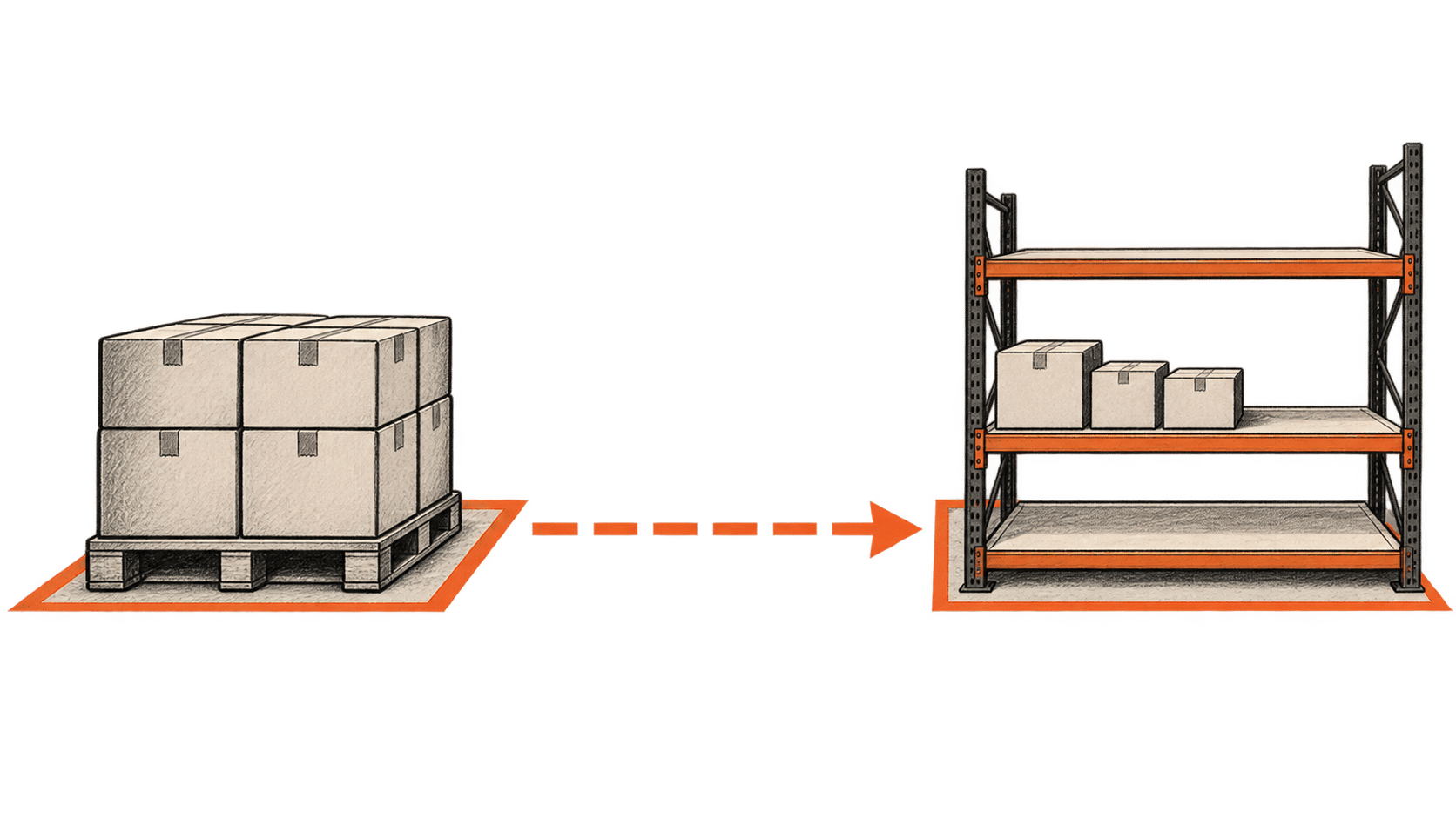
Consider a deliberately simplified example. A picking location has 18 cases available. Orders require 42 cases before a dispatch deadline. A replenishment task for another 24 cases already exists, and the location can hold 48 cases. All quantities use the same unit. These are illustrative numbers, not a customer result or a test of the new product.
An app that compares only present stock with demand finds a 24-case gap. If it automatically requests another 24 cases, it duplicates work already planned. If both replenishments arrive before any picking takes place, the resulting 66 cases exceed the location’s 48-case capacity. The arithmetic is correct; the decision omitted an existing commitment and the timing of physical movements.
A more useful monitor would show the outstanding replenishment alongside the shortage. Its question would be whether that task is likely to finish before the stock is needed. If the task is late, the planner could investigate the reason or seek an authorized priority change. Creating another move would not necessarily solve the delay.
Existing warehouse software already contains relevant planning logic. Microsoft’s replenishment documentation describes demand-based and minimum/maximum strategies, configured through templates. Under specified settings, demand replenishment can account for unreserved quantities in existing replenishment work. This is a reminder to inspect the WMS configuration before adding a second decision-maker around it. Replenishment overview
The app could clarify an exception: the order depends on this replenishment, which has not progressed as expected. Showing that relationship could save the planner from reconciling several screens. It should also show how recently the relevant records were updated. A completed movement whose confirmation has not arrived must not silently become a reason to send somebody again.
Capacity can legitimately keep replenishment work waiting. Dynamics 365 documents a feature that can create work beyond a location’s capacity while holding back its completion until inventory falls sufficiently. Planned demand can exceed the space available at one moment. Location-capacity handling
In our example, an outstanding task is consequently a reason to inspect its state. An app that labels every waiting task a failure could pressure staff to defeat a sensible constraint. The explanation attached to an alert is part of its operational value.
Permission to publish an app is different from permission to create work
AutoScheduler’s implementation guidance describes separate access roles, a named operational owner, and testing actions without sending them. Its FAQ says acting inside connected systems must be deliberately enabled for actions approved in advance. These documented controls are relevant to assessing the product; their presence and configuration at a particular site still need verification. Actions and governance
For the replenishment monitor, an initial scope could be to display the at-risk task and notify its planner. That creates a useful way to check whether the logic identifies meaningful exceptions without adding movements to the floor. If the site later authorizes task creation or reprioritization, it should specify exactly which action is allowed and which conditions must still hold when the instruction reaches the WMS.
The receiving system remains important. The application’s earlier observation may be out of date by the time it sends an instruction. Another user may have changed the task or reserved the stock. The integration should check current state and report whether the request was accepted, rejected or needs attention. A successful submission alone does not show that the warehouse movement occurred.
Turning off the application also has limits. It can prevent future requests if designed to do so, but it cannot physically reverse cases already moved. Work already assigned needs a coordinated decision through the site’s normal operating process. The owner of the app must know who handles that consequence, particularly when the person who built it is absent.
Local improvements can compete for the same resources
The optimistic case is strongest when the tool addresses a recurring, well-understood omission. A planner notices that one class of replenishment becomes urgent before the usual dashboard makes it obvious. A focused monitor could surface it earlier, with enough context to avoid repeated investigation. Workers who know the exception would have a more direct way to improve the information used during a shift.
The pessimistic case is a collection of individually plausible apps that keep changing priorities. One pushes replenishment forward, another accelerates outbound work, and a third prioritizes receipts. If each assumes the same people or equipment will be available, improving one queue can leave another waiting. A common data source does not itself settle those competing objectives.
Site leaders should identify who resolves conflicts across applications. A tool may recommend an earlier move while a broader plan preserves resources for a more consequential deadline. That disagreement needs an operational explanation. Staff should be able to report why a recommendation was impractical, so a locally useful exception does not become a permanently misleading rule.
Measure the delay the app is meant to remove
The launch establishes a product claim, not the size of its benefit at another warehouse. A manager can evaluate a replenishment app against a narrower question: did it reduce picking interruptions caused by stock arriving late, without increasing unnecessary handling or missed commitments elsewhere?
That evaluation needs a record of which alerts led to an intervention, what happened to the associated task and whether the intervention was useful. A quiet app might be overlooking problems; a busy one might be creating work. Review a sample of dismissed alerts as well as accepted recommendations, and compare shifts with attention to differences in demand and staffing.
Time spent building the app belongs in the cost calculation alongside mapping data, checking recommendations and maintaining the tool. A faster build can still be worthwhile even when the first version only improves visibility. It has to help somebody make a better warehouse decision often enough to justify those continuing costs.
For the next demonstration, give the builder a shortage with a replenishment already on the way. Ask it to explain what should happen when that task is delayed, completed or blocked by capacity. That will reveal more about its usefulness than the speed at which it produces a polished screen.