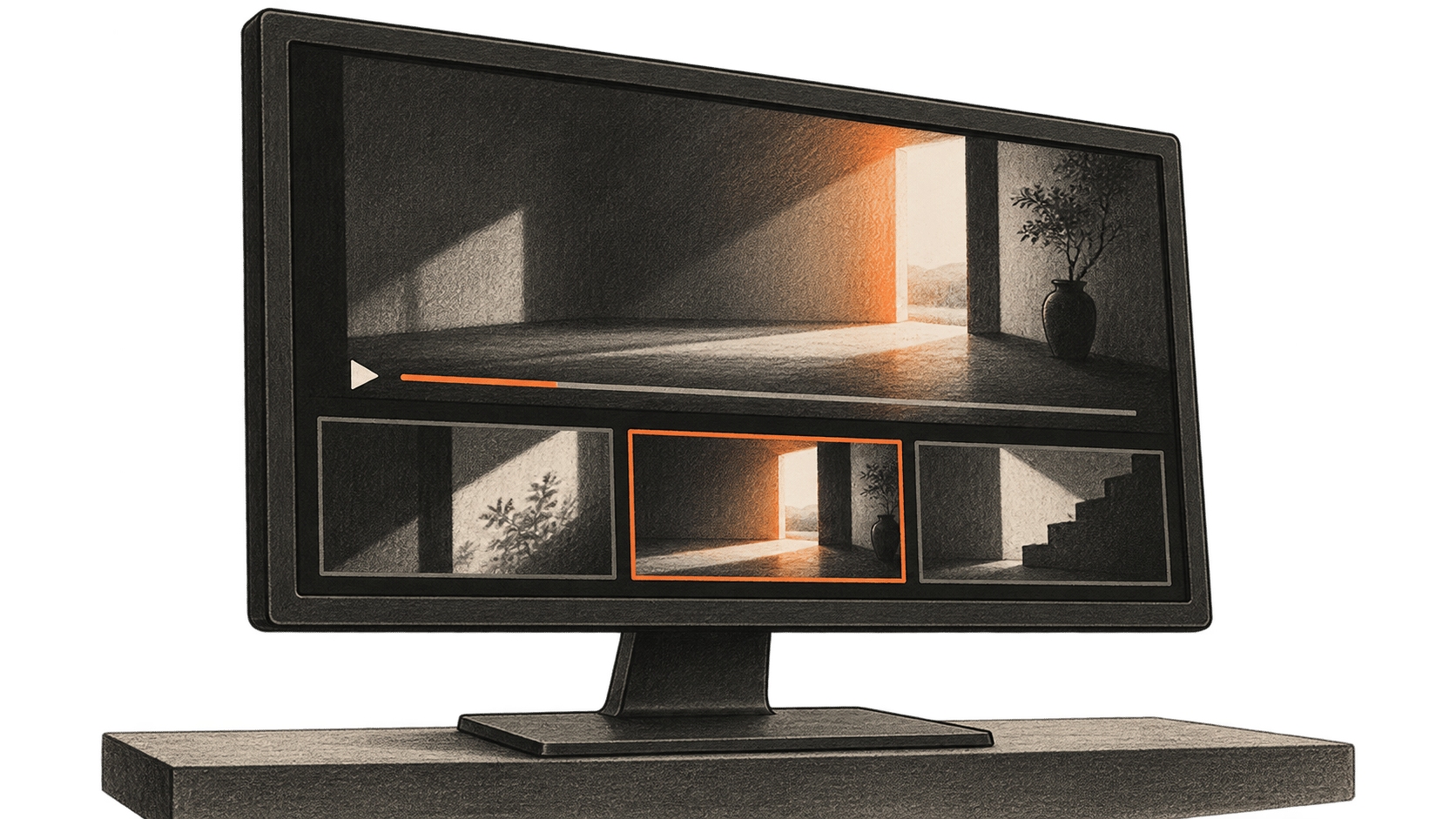
1本の録画から複数の短編を作れますが、文字起こしだけでは抜粋が文脈に忠実か判断できず、1080 × 1920で書き出せても見やすさは証明できません。本ガイドでは、手動で呼び出す5つのClaude Codeプロジェクトスキルで、転写、候補選び、切り出し、字幕、レンダリングを整理します。人の編集者が各原動画区間を承認し、完成ファイルをすべて最後まで見ます。対象は自分が所有するか、編集と共有の明確な許可を得た動画です。
これはmacOS Terminalとzsh向けの、文書に基づく手順です。BIG CHANGEはコマンド実行、非公開映像の確認、5本のファイル作成を行っていません。開始前にインストール済みツールのヘルプと実際の素材を確認してください。メイン画像は、制作者が確認する5本の縦型動画の概念図です。実際のクリップ、ソフトの出力、BIG CHANGEによる動作検証ではありません。
大きな変化
- 何が変わるか: Claude Codeのプロジェクトスキルで、ローカル動画編集を手動呼び出しの5段階に分けられます。提案する引き継ぎ記録は、原動画の時刻、承認済みカット、修正字幕、最終ファイルを結びます。この特定の連続工程が成功したことをツール文書が証明するわけではありません。
- なぜ重要か: 素材の利用許可を持つ制作者は、各段階で編集者に具体的な判断を任せられます。そもそも独立した抜粋が5つ存在するかも判断対象です。字幕付きで書き出す前に、弱いカットや誤解を招く抜粋を却下できます。
- 注意点: 共有の判断には権利、選択したClaudeアカウントのデータ方針、保存した各MP4の全編確認が必要です。ファイルの技術検査に通っても、これらは判断できません。
開始前の準備
音声が使えるローカルの source.mp4 、十分な空き容量、Claude Codeへのアクセス、動作するローカルwhisper.cppの whisper-cli と対象言語に対応するモデル、必要なエンコーダーとフィルターを備えたFFmpegとffprobeが必要です。原動画と5本の出力を確認できる編集者も必要です。Claude Codeのアカウントとデータ方針、各ツールの版、whisper.cppのコミットまたはビルド、モデルのSHA-256とライセンス、利用上限を記録します。転写とレンダリングがローカルでも、Claude Codeはホスト型モデルを使う場合があります。権利とアカウント方針で許される転写・メディアだけにアクセスを認めてください。 スキルの指示 はアクセスを制限しません。別の ツール権限設定 が呼び出しを管理し、設定によっては通常の読み取りが確認なしで動きます。書き込みや実行の提案だけでなく、スキルが何を読めるかも意識して確認してください。
新しい信頼済みローカル作業フォルダーに、変更しない原動画のコピーと rights.json を置きます。権利記録には原動画SHA-256、編集者、許可された抜粋とその後の用途、話者・音楽・映像の許可、保存場所と保存期間の規則を記載します。権利不明なら進めません。そのフォルダーでTerminalを開き、 pwdを確認して作業フォルダーを作ります。
mkdir -p transcript clips captions shorts probes .claude/skills/video-transcribe .claude/skills/video-rank .claude/skills/video-cut .claude/skills/video-caption .claude/skills/video-vertical
command -v claude
command -v ffmpeg
command -v ffprobe
claude --version
ffmpeg -version
ffprobe -version
ffmpeg -hide_banner -h encoder=libx264
ffmpeg -hide_banner -h encoder=aac
ffmpeg -hide_banner -h filter=subtitles
ffmpeg -hide_banner -h filter=scale
次の WHISPER_CLI と WHISPER_MODEL を実際の引用符付き絶対パスに設定します。 LANGUAGE は確認した音声言語コードにし、例えば en は音声が英語の場合だけ使います。モデルの対応を確認してください。英語専用の .en モデルは他言語を扱えません。混在言語や非対応言語は、先に検証した対応方針が必要です。 whisper.cppのCLIリファレンス には -l、 -m、 -f、 -osrt、 -oj と -ofが記載されています。インストールしたビルドのヘルプと照合してください。翻訳オプションは有効にしません。
WHISPER_CLI='/absolute/path/to/whisper-cli'
WHISPER_MODEL='/absolute/path/to/approved-model.bin'
LANGUAGE='en'
test -x "$WHISPER_CLI"
test -r "$WHISPER_MODEL"
"$WHISPER_CLI" --help
ffprobe -v error -show_entries format=duration:stream=index,codec_type,codec_name,width,height,sample_aspect_ratio -of json source.mp4
実行前に例のパスと言語を置き換えます。原動画の長さ、ストリーム、向き、音声、空き容量を調べてください。インストール済みの subtitles フィルターがlibass対応で、 scale が force_original_aspect_ratio、 force_divisible_by と reset_sarを受け付けることを確認します。必要な機能がなければメンテナーのビルド手順に従い、再確認します。黙って字幕を省いてはいけません。
範囲を定めた5つのプロジェクトスキルを作る
信頼済みプロジェクトに、それぞれ別の .claude/skills/<name>/SKILL.md ファイルを5つ保存します。各ファイルに固有の name、 description、 disable-model-invocation: trueと、入力・動作・出力・停止条件の完全な規則が必要です。手動で次の順に呼び出します。 /video-transcribe、 /video-rank、 /video-cut、 /video-caption、 /video-vertical。次の allowed-toolsは追加しません。Claude Codeによると、この項目は呼び出し中に指定ツールを確認なしで使う権限を与えるもので、使用範囲を限定するものではありません。通常の権限設定を保ち、アクセスを確認してください。読み取りは確認なしの場合があり、書き込みと実行は実際のアカウント設定に従います。
以下の完全な内容と、後述する共通実行記録を使います。スキルの文章はClaude Codeへの指示であり、技術的なアクセス制限ではありません。
.claude/skills/video-transcribe/SKILL.md
---
name: video-transcribe
description: Transcribe the authorized local source for the five-short workflow.
disable-model-invocation: true
---

Input: rights.json, immutable source.mp4, checked source probe, verified language and local whisper.cpp executable/model. Confirm matching source and model hashes, usable audio and permitted access before any command.
Action: From the checked run directory, confirm source.wav and both transcript output paths do not exist. Extract mono 16 kHz 16-bit PCM source.wav with explicit first-audio mapping and no overwrite. Continue to whisper-cli only after a zero exit and valid WAV readback; use the verified model and explicit language, SRT and JSON output, and translation off. Inspect both outputs, parse source-relative times, and compare representative passages and uncertain names or quotes against source audio. Record a nonzero exit or uncertain output as a manifest blocker before any next stage.
Output: transcript/source.srt and transcript/source.json, recorded hashes, corrections or marked uncertainties, tool and model identity in manifest.json.
Stop: Missing rights, changed inputs, absent audio, empty or malformed transcript, or unverified relevant speech. Do not upload, publish or overwrite accepted files; ask the editor to settle uncertainty.
.claude/skills/video-rank/SKILL.md
---
name: video-rank
description: Suggest source moments for human selection of five distinct clips.
disable-model-invocation: true
---

Input: Checked source transcript and hash, immutable source hash and probe duration, rights.json, intended audience. Verify all identities and authorized transcript access.
Action: Suggest more than five moments with numeric source-second start/end, source words, surrounding context and editorial rationale. Treat ranking as a suggestion, never a viral forecast. Have the editor open each candidate in the original and check speaker, wording, facts, context and rights. Record exactly five distinct coherent approved intervals and a rejected-candidate log.
Output: approved-moments.json with order, source hash and five numeric bounds satisfying 0 <= start < end <= source duration.
Stop: Fewer than five permissible, meaningful moments, mismatched hashes, uncertain bounds or missing human approval. Do not invent a fifth excerpt.
.claude/skills/video-cut/SKILL.md
---
name: video-cut
description: Cut the five approved source intervals into separate local clips.
disable-model-invocation: true
---

Input: Immutable source.mp4, source hash/probe and five human-approved intervals. Verify hashes and calculate each duration as end minus start.
Action: For each 01-05, confirm its unique output path is unused, then transcode the approved source-relative interval with input -ss, -t duration, explicit first video/audio mapping, libx264, AAC and -n. Continue only on zero exit and file readback. Probe streams and duration, inspect first and last frames, and have the editor watch each whole cut for boundaries, sync and context. Record the exact command and output hash. Any failure or uncertain write is a manifest blocker; never pass that clip to captioning.
Output: Five accepted numbered clips, individual probe records and links to approved intervals in manifest.json.
Stop: Wrong bounds, absent stream, drift, misleading context, output collision or uncertain command result. Read back the existing path first; correct bounds with human approval and use a new filename. Never overwrite or reuse an old clip hash.
.claude/skills/video-caption/SKILL.md
---
name: video-caption
description: Create and check local captions from each accepted clip.
disable-model-invocation: true
---

Input: Five accepted clip hashes, verified language and local model identity. Reject stale clips or mismatched source links.
Action: For each actual numbered clip 01-05, verify its accepted hash and unused WAV/raw-SRT paths, then extract its own mono 16 kHz 16-bit PCM WAV with -n. Run whisper-cli only after zero exit and WAV readback, with the matching language and SRT output; translation stays off. Preserve raw SRT. Have the editor correct words, names, numbers, cue timing, overlaps and readability against the actual clip, then save a distinct .checked.srt. Use clip-local times, not source-offset cues. Record failures as blockers before rendering.
Output: Five checked SRTs with raw-ASR and exact clip hash links in manifest.json.
Stop: Any cue outside clip duration, uncertain speech, bad alignment or stale clip hash. Repair and replay before rendering; a recut requires matching new captions.
.claude/skills/video-vertical/SKILL.md
---
name: video-vertical
description: Render and review five captioned 1080x1920 MP4s.
disable-model-invocation: true
---

Input: Five accepted clip hashes/probes, matching checked SRT hashes, rights record and a human-approved crop or framing plan for each clip.
Action: Check decoded orientation and sample aspect ratio. Choose even integer crop width, height and x/y for each clip; require positive dimensions, nonnegative offsets and a rectangle within the decoded frame. A fixed crop does not track motion. Verify unique output and probe paths are unused. From the established run directory, render each separately with crop, aspect-preserving scale, pad, clip-local subtitles, explicit video/audio mapping, libx264, yuv420p, AAC and -n. Continue only on zero exit and saved-file readback. Create probe JSON without clobbering an existing path, reopen the MP4 and have the editor watch its entire video and audio, checking cut context, every caption, framing, sync, facts and rights. Record any failure or uncertain output as a blocker.
Output: Five distinct accepted 1080x1920 MP4s, hashes, probe JSON, exact source/clip/SRT lineage and UTC human acceptance notes.
Stop: Unknown orientation, invalid crop, missing filter, collision, unreadable file, silent audio, cut-off text, wrong duration, bad context or failed full playback. Inspect uncertain existing outputs; revise to a new filename, probe and watch again. No upload or publishing.
実行ごとに1つの manifest.json を維持します。各引き継ぎで権利記録、不変の原動画SHA-256、ツール版、モデルSHA-256・ライセンス・言語、入出力とSHA-256、承認済みの数値区間、正確なコマンド、UTCの判断を記録します。指定ファイルやハッシュが違えば停止し、次のスキル前に解決します。
各シェルブロックを、新しいzshスクリプトまたは管理したシェル内の1段階として実行し、 set -e でコマンド失敗時にその段階を止めます。実行前に各出力パスが未使用か確認し、非ゼロ終了、欠落ファイル、不明な書き込みをマニフェストの阻害事項に記録します。次のスキルはその状態と出力ハッシュを読み、古いクリップが残っているだけで失敗した切り出しを受理してはいけません。
1. 原動画を書き起こす
現在の whisper.cppメンテナーREADME によると、CLIの例には16ビットWAVが必要です。原動画の音声を確認後、検証済みプロジェクトフォルダーで次を実行します。 -n によりFFmpegは既存WAVを上書きしません。
set -e
test ! -e source.wav
test ! -e transcript/source.srt
test ! -e transcript/source.json
ffmpeg -i source.mp4 -map 0:a:0 -ar 16000 -ac 1 -c:a pcm_s16le -n source.wav
test -s source.wav
"$WHISPER_CLI" -m "$WHISPER_MODEL" -f source.wav -l "$LANGUAGE" -osrt -oj -of transcript/source
test -s transcript/source.srt
test -s transcript/source.json
次の transcript/source.srt と .json が存在し、時刻付き発話を含み、探測した原動画の長さに収まることを確認します。代表箇所を聴き、不確かな名前、数字、引用を元音声で照合します。修正版の転写または明示的な不確実性マークを残します。音声抽出や転写が空なら、別名出力を試す前に入力ストリーム、実行プログラム、言語、モデル互換性を調べます。
2. 原動画から5つの場面を選ぶ
次の /video-rank を、確認済み転写と想定視聴者を添えて呼び出します。弱い抜粋を却下できるよう5つより多い候補を求めます。各候補には原動画冒頭からの数値の開始・終了秒、発話、前後の文脈、単独で理解できる理由が必要です。各区間を原動画で開き、編集者が話者、言葉、映像文脈、事実、許可が維持されるか判断します。異なる承認区間をちょうど5つ、 approved-moments.jsonに保存し、順番、原動画ハッシュ、 0 <= start < end <= source durationを含めます。転写の一節は位置の手掛かりにすぎません。時刻を探すだけの狭い作業は、 編集前に動画の発話時点を探すを参照してください。
正当化できる場面が5つなければ停止します。5ファイルの作業は未完了です。
3. 承認区間を切り出す
次の /video-cutを呼び出します。各区間の承認済み数値境界から DURATION = END - START を計算します。下の山括弧の仮値は実数値に置き換えます。仮値のままでは実行できません。 clip-02.mp4 から clip-05.mp4まで繰り返します。FFmpegは入力シーク、長さ、明示的ストリーム選択と 上書きしない出力動作を説明しています。意図した切り出し境界には、ストリームの直接コピーではなく再エンコードを使います。
set -e
test ! -e clips/clip-01.mp4
ffmpeg -ss <START_SECONDS> -i source.mp4 -t <DURATION_SECONDS> -map 0:v:0 -map 0:a:0 -c:v libx264 -c:a aac -n clips/clip-01.mp4
test -s clips/clip-01.mp4
各実クリップのストリームと長さを調べ、最初と最後のフレームを見てから全編を再生します。ハッシュと承認原動画区間を記録します。誤った切り出しは新たな承認境界と新しい出力名が必要です。コマンド失敗や不確実な結果は、再実行前に既存ファイルと探測結果を確認し、同名へ再試行しません。
4. 実際の各クリップに字幕を合わせて修正する
次の /video-captionを呼び出します。字幕の時刻ゼロは各クリップの冒頭である必要があるため、受理したクリップごとに転写します。クリップ01のコマンドは次のとおりです。
set -e
test ! -e captions/clip-01.wav
test ! -e captions/clip-01.srt
ffmpeg -i clips/clip-01.mp4 -map 0:a:0 -ar 16000 -ac 1 -c:a pcm_s16le -n captions/clip-01.wav
test -s captions/clip-01.wav
"$WHISPER_CLI" -m "$WHISPER_MODEL" -f captions/clip-01.wav -l "$LANGUAGE" -osrt -of captions/clip-01
test -s captions/clip-01.srt
02から05は対応する実際の2桁番号と別々のパスで繰り返します。各生データ captions/clip-NN.srtを残します。編集者が字幕項目をクリップに照合し、言葉、名前、数字を直して時刻と読みやすさを確認し、 captions/clip-NN.checked.srtを保存します。クリップの長さを超える字幕があればレンダリングしません。SRTハッシュをクリップハッシュに対応させます。カット変更時は、新ファイルで字幕を再生成または再確認します。
5. 構図を直し、レンダリングして5本すべてを受理する
次の /video-verticalを呼び出します。各受理クリップのデコード画像、向き、ピクセル縦横比、動きを調べます。編集者はクリップごとに偶数の整数で CROP_W、 CROP_H、 CROP_X、 CROP_Yを選びます。長方形はデコード画面内に収まる必要があります。固定クロップは動く被写体を追いません。必要な内容を失うなら、確認した拡大縮小と余白の構図にするかカットを変更します。回転や座標が不明なら停止します。 FFmpegフィルターマニュアル はcrop、scale、pad、libassを使うsubtitlesを説明しています。
確立した実行フォルダーで CLIP を実際の2桁番号に、4つのクロップ変数をそのクリップの承認整数に設定します。これはテンプレートであり、試験済みの例ではありません。示した単純な字幕相対パスを保ってください。特殊文字入りファイル名はフィルターグラフ用の別途エスケープが必要です。02から05も個別に繰り返します。
set -e
setopt noclobber
CLIP=01
CROP_W=<CHECKED_EVEN_INTEGER>
CROP_H=<CHECKED_EVEN_INTEGER>
CROP_X=<CHECKED_EVEN_INTEGER>
CROP_Y=<CHECKED_EVEN_INTEGER>
test ! -e "shorts/short-${CLIP}.mp4"
test ! -e "probes/short-${CLIP}.json"
ffmpeg -i "clips/clip-${CLIP}.mp4" -map 0:v:0 -map 0:a:0 -vf "crop=${CROP_W}:${CROP_H}:${CROP_X}:${CROP_Y},scale=1080:1920:force_original_aspect_ratio=decrease:force_divisible_by=2:reset_sar=1,pad=1080:1920:(ow-iw)/2:(oh-ih)/2,subtitles=captions/clip-${CLIP}.checked.srt" -c:v libx264 -pix_fmt yuv420p -c:a aac -n "shorts/short-${CLIP}.mp4"
test -s "shorts/short-${CLIP}.mp4"
ffprobe -v error -show_entries format=duration:stream=index,codec_type,codec_name,width,height,sample_aspect_ratio -of json "shorts/short-${CLIP}.mp4" > "probes/short-${CLIP}.json"
test -s "probes/short-${CLIP}.json"
5つの探測JSONそれぞれで、1080 × 1920、ピクセル縦横比1:1の映像、音声、エンコードやフレーム丸め後に承認カットと一致する正の長さを要求します。欠落や不明値は未解決です。 ffprobeのJSON出力 はファイル属性の確認であり、編集品質の判断ではありません。各MP4を開き直して全編を見て、原動画区間、受理カット、確認済みSRTと比較します。文の切れ目、字幕と安全位置、動作中の構図、音同期、事実、権利を確認します。受理・修正・却下とUTC時刻をマニフェストに記録します。各々が原動画ハッシュ、承認区間、クリップハッシュ、確認SRTハッシュ、探測JSONに結びついた受理済み5本で完了です。4本では完了しません。
制限と復旧
Claude CodeのアクセスにはプランまたはAPI料金、使用制限がある場合があります。ローカルモデル、転写、再エンコード、複数回の修正は保存容量と計算を使います。アカウントが示す実料金を記録し、不明な費用をゼロとみなしません。この手順の速度、精度、字幕品質、節約、人気は測定していません。
原本と受理済み成果物を保管します。モデル不足、非対応オプション、誤転写、出力失敗、不確実な書き込みでは、変更前に正確な入力ハッシュと既存ファイルを調べます。具体的原因を直して修正版に新しいパスを与え、探測と全編再生を繰り返します。人の編集者が内容と権利を受理するまでアップロードや共有をしません。