ఒక రికార్డింగ్ నుంచి అనేక చిన్న క్లిప్లు పొందవచ్చు. కానీ తీసిన భాగం మూలాన్ని న్యాయంగా ప్రతిబింబిస్తుందో లిప్యంతరీకరణ నిర్ణయించదు; 1080 × 1920 ఎగుమతి చూడటానికి బాగుందని నిరూపించదు. ఈ గైడ్ Claude Code ప్రాజెక్ట్ స్కిల్లను చేతితో పిలిచి ఐదు పనులు అమరుస్తుంది: లిప్యంతరీకరణ, ప్రాధాన్యక్రమం, కటింగ్, ఉపశీర్షికలు, రెండరింగ్. మానవ ఎడిటర్ మూలంలోని ప్రతి వ్యవధిని ఆమోదించి, పూర్తయిన ప్రతి ఫైల్ మొత్తాన్ని చూస్తారు. మీ స్వంత వీడియో లేదా ఎడిట్ చేసి పంచుకోవడానికి స్పష్టమైన హక్కులు ఉన్న వీడియో కోసం ఈ విధానం.
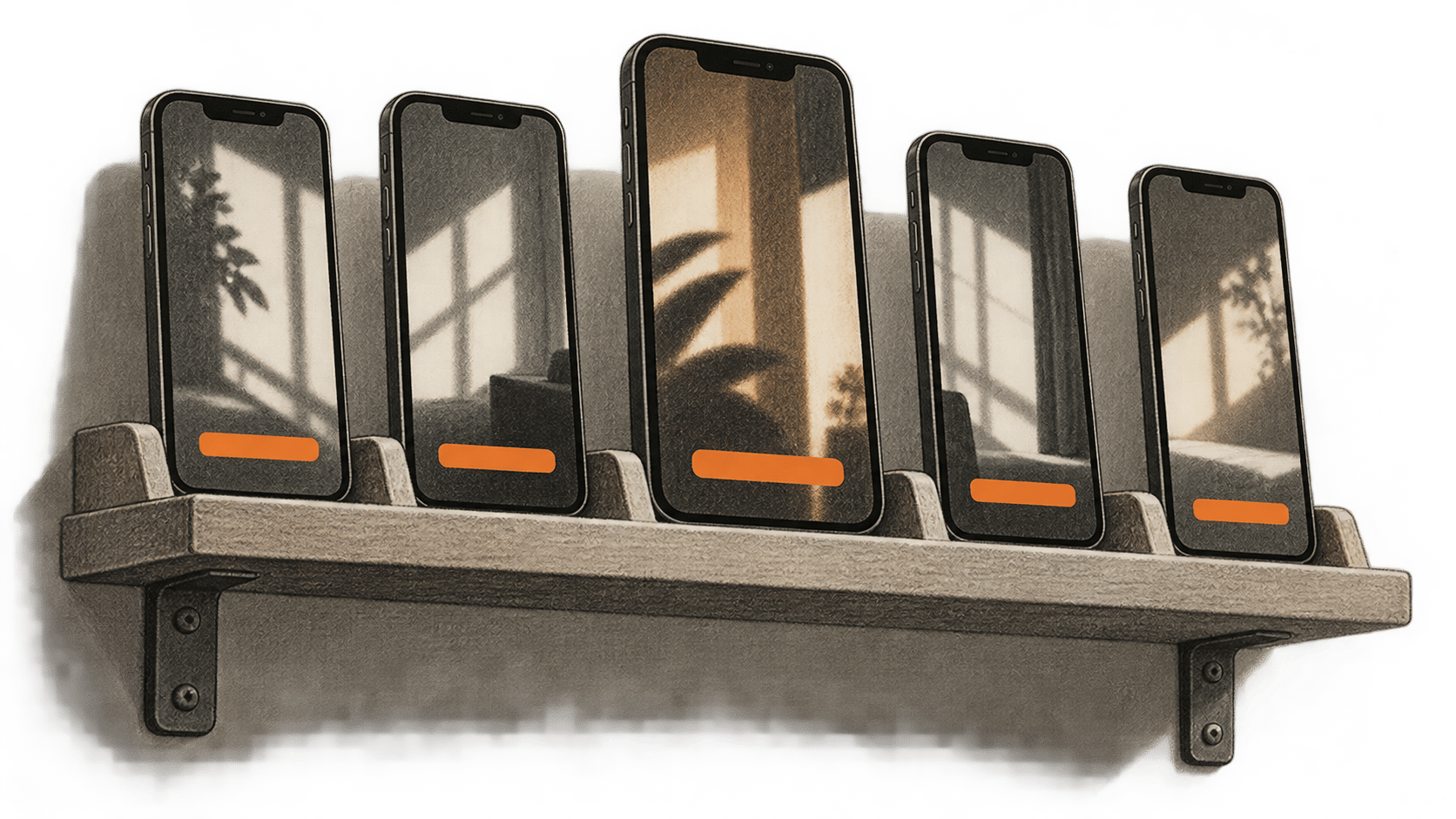
ఇది zshతో macOS Terminal కోసం పత్రాల ఆధారిత పద్ధతి. BIG CHANGE ఈ కమాండ్లను అమలు చేయలేదు, వ్యక్తిగత ఫుటేజ్ను పరిశీలించలేదు, ఐదు ఫైల్లు తయారు చేయలేదు. అనుసరించే ముందు ఇన్స్టాల్ చేసిన టూల్స్ సహాయాన్ని, నిజమైన మీడియాను తనిఖీ చేయండి. ప్రధాన చిత్రం సృష్టికర్త సమీక్షించే ఐదు నిలువు వీడియోల భావనాత్మక చిత్రణ. అవి నిజమైన క్లిప్లు, సాఫ్ట్వేర్ అవుట్పుట్ లేదా ఈ విధానంపై BIG CHANGE పరీక్ష కాదు.
పెద్ద మార్పు
- ఏం మారింది: Claude Code ప్రాజెక్ట్ స్కిల్లు స్థానిక వీడియో ఎడిటింగ్ను చేతితో పిలిచే ఐదు దశలుగా విభజించగలవు. ప్రతిపాదిత బదిలీ రికార్డులు మూల టైమ్స్టాంప్లు, ఆమోదించిన కట్లు, సరిచేసిన ఉపశీర్షికలు, చివరి ఫైల్లను కలుపుతాయి. ఈ నిర్దిష్ట శ్రేణి విజయవంతంగా నడిచిందని టూల్స్ పత్రాలు నిరూపించవు.
- ఎందుకు ముఖ్యం: అనుమతి ఉన్న మూల ఫుటేజ్తో సృష్టికర్త ప్రతి దశలో మానవ ఎడిటర్కు స్పష్టమైన నిర్ణయం అప్పగించవచ్చు. అసలు ఐదు వేర్వేరు సరైన భాగాలు ఉన్నాయా అన్నదీ ఇందులో ఉంది. బలహీనమైన లేదా తప్పుదారి పట్టించే కట్ను ఉపశీర్షికలతో ఎగుమతి చేయకముందే తిరస్కరించవచ్చు.
- ఏం గమనించాలి: ఫలితాన్ని పంచుకోవడం ఇంకా హక్కులు, ఎంచుకున్న Claude ఖాతా డేటా విధానం, సేవ్ చేసిన ప్రతి MP4ను పూర్తిగా చూడటంపై ఆధారపడుతుంది. ఫైల్ సాంకేతిక తనిఖీ పాస్ కావడం ఈ ప్రశ్నలను పరిష్కరించదు.
మొదలుపెట్టే ముందు
పనికివచ్చే ఆడియోతో స్థానిక source.mp4 , తగిన నిల్వ, Claude Code యాక్సెస్, పనిచేసే స్థానిక whisper.cpp whisper-cli మరియు భాషకు అనుకూలమైన మోడల్, అవసరమైన ఎన్కోడర్లు, ఫిల్టర్లతో FFmpeg, ffprobe అవసరం. మూలం, ఐదు ఎగుమతులు తనిఖీ చేయగల ఎడిటర్ కూడా కావాలి. Claude Code ఖాతా, డేటా విధానం, ఇన్స్టాల్ వెర్షన్లు, whisper.cpp commit లేదా బిల్డ్, మోడల్ SHA-256, లైసెన్స్, వినియోగ పరిమితులను నమోదు చేయండి. లిప్యంతరీకరణ, రెండరింగ్ స్థానికమైనా Claude Code హోస్ట్ చేసిన మోడల్ను వాడవచ్చు. మీ హక్కులు, ఖాతా విధానం అనుమతించే లిప్యంతరీకరణ లేదా మీడియా యాక్సెస్ మాత్రమే ఇవ్వండి. దాని స్కిల్ సూచనలు యాక్సెస్ను పరిమితం చేయవు. వేరుగా ఉన్న టూల్ అనుమతి నియంత్రణలు టూల్ కాల్లను నియంత్రిస్తాయి. సెట్టింగ్లను బట్టి సాధారణ చదవడానికి మాత్రమే పనులు నిర్ధారణ అడగకుండా జరగవచ్చు. స్కిల్ ఏమి చదవగలదు, ఏమి రాయాలని లేదా అమలు చేయాలని సూచిస్తుందో ఉద్దేశపూర్వకంగా తనిఖీ చేయండి.
మూలం మార్పులేని కాపీ, rights.json ను కొత్త నమ్మకమైన స్థానిక పని ఫోల్డర్లో ఉంచండి. హక్కుల రికార్డులో మూల SHA-256, ఎడిటర్, అనుమతించిన భాగాలు, తదుపరి వినియోగం, వక్తలు, సంగీతం, దృశ్యాల అనుమతులు, నిల్వ, ఎంతకాలం ఉంచాలనే నియమాలు ఉండాలి. హక్కులు సందేహంగా ఉంటే కొనసాగవద్దు. ఆ ఫోల్డర్లో Terminal తెరిచి pwdను ధృవీకరించి, పని ఫోల్డర్లు సృష్టించండి:
mkdir -p transcript clips captions shorts probes .claude/skills/video-transcribe .claude/skills/video-rank .claude/skills/video-cut .claude/skills/video-caption .claude/skills/video-vertical
command -v claude
command -v ffmpeg
command -v ffprobe
claude --version
ffmpeg -version
ffprobe -version
ffmpeg -hide_banner -h encoder=libx264
ffmpeg -hide_banner -h encoder=aac
ffmpeg -hide_banner -h filter=subtitles
ffmpeg -hide_banner -h filter=scale
ఈ విలువలను WHISPER_CLI మరియు WHISPER_MODEL నిజమైన పూర్తి పాత్లకు కొటేషన్లలో సెట్ చేయండి. LANGUAGE ను ధృవీకరించిన మాట్లాడే భాష కోడ్కు సెట్ చేయండి; ఉదాహరణకు en ఆడియో ఇంగ్లీష్ అయితేనే. మోడల్ దానికి మద్దతిస్తుందో చూడండి. ఇంగ్లీష్ మాత్రమే ఉండే .en మోడల్ వేరే భాషను నిర్వహించదు. మిశ్రమ లేదా మద్దతులేని భాషలకు ముందుగా తనిఖీ చేసిన ప్రణాళిక కావాలి. whisper.cpp CLI సూచన పత్రం లో -l, -m, -f, -osrt, -oj మరియు -ofవివరించబడ్డాయి. మీ బిల్డ్ సహాయంతో సరిపోల్చండి. దాని అనువాద ఎంపికను ప్రారంభించవద్దు.
WHISPER_CLI='/absolute/path/to/whisper-cli'
WHISPER_MODEL='/absolute/path/to/approved-model.bin'
LANGUAGE='en'
test -x "$WHISPER_CLI"
test -r "$WHISPER_MODEL"
"$WHISPER_CLI" --help
ffprobe -v error -show_entries format=duration:stream=index,codec_type,codec_name,width,height,sample_aspect_ratio -of json source.mp4
ఏదైనా అమలు చేయకముందు ఉదాహరణ పాత్లు, భాష మార్చండి. మూల వ్యవధి, స్ట్రీమ్లు, దిశ, ఆడియో, ఖాళీ స్థలం చూడండి. ఇన్స్టాల్ చేసిన subtitles ఫిల్టర్కు libass మద్దతు ఉందని, scale లో force_original_aspect_ratio, force_divisible_by మరియు reset_sarపనిచేస్తాయని నిర్ధారించండి. అవసరమైన సదుపాయం లేకపోతే నిర్వహణకర్తల బిల్డ్ సూచనలు అనుసరించి తనిఖీలు మళ్లీ చేయండి. చెప్పకుండా ఉపశీర్షికలు వదిలేయవద్దు.
స్పష్టమైన హద్దులతో ఐదు ప్రాజెక్ట్ స్కిల్లు సృష్టించండి
నమ్మకమైన ప్రాజెక్ట్లో ఐదు వేర్వేరు .claude/skills/<name>/SKILL.md ఫైల్లు సేవ్ చేయండి. ప్రతిదానికి సొంత name, description, disable-model-invocation: true, పూర్తి ఇన్పుట్, చర్య, అవుట్పుట్, ఆపే నియమం కావాలి. చేతితో ఈ క్రమంలో పిలవండి: /video-transcribe, /video-rank, /video-cut, /video-caption, /video-vertical. allowed-toolsచేర్చవద్దు: Claude Code ప్రకారం ఈ ఫీల్డ్ పిలిచినప్పుడు జాబితా టూల్స్ను నిర్ధారణ లేకుండా వాడేందుకు అనుమతిస్తుంది; స్కిల్ను బంధించదు. సాధారణ అనుమతి సెట్టింగ్లు కొనసాగించి యాక్సెస్ సమీక్షించండి. చదవడానికి మాత్రమే కాల్ నిర్ధారణ అడగకపోవచ్చు; రాయడం, అమలు ఖాతా నిజమైన నియంత్రణలను అనుసరిస్తాయి.
కింద వివరించిన ఉమ్మడి పని రికార్డుతో ఈ పూర్తి పాఠాలను వాడండి. స్కిల్లోని వచనం Claude Codeకి సూచన మాత్రమే; సాంకేతికంగా అమలు చేసే హద్దు కాదు.
.claude/skills/video-transcribe/SKILL.md
---
name: video-transcribe
description: Transcribe the authorized local source for the five-short workflow.
disable-model-invocation: true
---

Input: rights.json, immutable source.mp4, checked source probe, verified language and local whisper.cpp executable/model. Confirm matching source and model hashes, usable audio and permitted access before any command.
Action: From the checked run directory, confirm source.wav and both transcript output paths do not exist. Extract mono 16 kHz 16-bit PCM source.wav with explicit first-audio mapping and no overwrite. Continue to whisper-cli only after a zero exit and valid WAV readback; use the verified model and explicit language, SRT and JSON output, and translation off. Inspect both outputs, parse source-relative times, and compare representative passages and uncertain names or quotes against source audio. Record a nonzero exit or uncertain output as a manifest blocker before any next stage.
Output: transcript/source.srt and transcript/source.json, recorded hashes, corrections or marked uncertainties, tool and model identity in manifest.json.
Stop: Missing rights, changed inputs, absent audio, empty or malformed transcript, or unverified relevant speech. Do not upload, publish or overwrite accepted files; ask the editor to settle uncertainty.
.claude/skills/video-rank/SKILL.md
---
name: video-rank
description: Suggest source moments for human selection of five distinct clips.
disable-model-invocation: true
---

Input: Checked source transcript and hash, immutable source hash and probe duration, rights.json, intended audience. Verify all identities and authorized transcript access.
Action: Suggest more than five moments with numeric source-second start/end, source words, surrounding context and editorial rationale. Treat ranking as a suggestion, never a viral forecast. Have the editor open each candidate in the original and check speaker, wording, facts, context and rights. Record exactly five distinct coherent approved intervals and a rejected-candidate log.
Output: approved-moments.json with order, source hash and five numeric bounds satisfying 0 <= start < end <= source duration.
Stop: Fewer than five permissible, meaningful moments, mismatched hashes, uncertain bounds or missing human approval. Do not invent a fifth excerpt.
.claude/skills/video-cut/SKILL.md
---
name: video-cut
description: Cut the five approved source intervals into separate local clips.
disable-model-invocation: true
---

Input: Immutable source.mp4, source hash/probe and five human-approved intervals. Verify hashes and calculate each duration as end minus start.
Action: For each 01-05, confirm its unique output path is unused, then transcode the approved source-relative interval with input -ss, -t duration, explicit first video/audio mapping, libx264, AAC and -n. Continue only on zero exit and file readback. Probe streams and duration, inspect first and last frames, and have the editor watch each whole cut for boundaries, sync and context. Record the exact command and output hash. Any failure or uncertain write is a manifest blocker; never pass that clip to captioning.
Output: Five accepted numbered clips, individual probe records and links to approved intervals in manifest.json.
Stop: Wrong bounds, absent stream, drift, misleading context, output collision or uncertain command result. Read back the existing path first; correct bounds with human approval and use a new filename. Never overwrite or reuse an old clip hash.
.claude/skills/video-caption/SKILL.md
---
name: video-caption
description: Create and check local captions from each accepted clip.
disable-model-invocation: true
---

Input: Five accepted clip hashes, verified language and local model identity. Reject stale clips or mismatched source links.
Action: For each actual numbered clip 01-05, verify its accepted hash and unused WAV/raw-SRT paths, then extract its own mono 16 kHz 16-bit PCM WAV with -n. Run whisper-cli only after zero exit and WAV readback, with the matching language and SRT output; translation stays off. Preserve raw SRT. Have the editor correct words, names, numbers, cue timing, overlaps and readability against the actual clip, then save a distinct .checked.srt. Use clip-local times, not source-offset cues. Record failures as blockers before rendering.
Output: Five checked SRTs with raw-ASR and exact clip hash links in manifest.json.
Stop: Any cue outside clip duration, uncertain speech, bad alignment or stale clip hash. Repair and replay before rendering; a recut requires matching new captions.
.claude/skills/video-vertical/SKILL.md
---
name: video-vertical
description: Render and review five captioned 1080x1920 MP4s.
disable-model-invocation: true
---

Input: Five accepted clip hashes/probes, matching checked SRT hashes, rights record and a human-approved crop or framing plan for each clip.
Action: Check decoded orientation and sample aspect ratio. Choose even integer crop width, height and x/y for each clip; require positive dimensions, nonnegative offsets and a rectangle within the decoded frame. A fixed crop does not track motion. Verify unique output and probe paths are unused. From the established run directory, render each separately with crop, aspect-preserving scale, pad, clip-local subtitles, explicit video/audio mapping, libx264, yuv420p, AAC and -n. Continue only on zero exit and saved-file readback. Create probe JSON without clobbering an existing path, reopen the MP4 and have the editor watch its entire video and audio, checking cut context, every caption, framing, sync, facts and rights. Record any failure or uncertain output as a blocker.
Output: Five distinct accepted 1080x1920 MP4s, hashes, probe JSON, exact source/clip/SRT lineage and UTC human acceptance notes.
Stop: Unknown orientation, invalid crop, missing filter, collision, unreadable file, silent audio, cut-off text, wrong duration, bad context or failed full playback. Inspect uncertain existing outputs; revise to a new filename, probe and watch again. No upload or publishing.
ఈ పనికి ఒక manifest.json ఉంచండి. ప్రతి బదిలీలో హక్కుల రికార్డు, మార్పులేని మూల SHA-256, టూల్ వెర్షన్లు, మోడల్ SHA-256/లైసెన్స్/భాష, SHA-256తో ఇన్పుట్లు, అవుట్పుట్లు, ఆమోదించిన సంఖ్యా మూల వ్యవధులు, ఖచ్చితమైన కమాండ్లు, UTC నిర్ణయాలు నమోదు చేయండి. ఫైల్ పేరు లేదా హ్యాష్ మారితే తదుపరి స్కిల్కు ముందు ఆపి పరిష్కరించండి.
కింద ప్రతి shell బ్లాక్ను కొత్త zsh స్క్రిప్ట్ లేదా నియంత్రిత shellలో ఒక దశగా పరిగణించి set -e వాడండి, తద్వారా కమాండ్ విఫలమైతే దశ ఆగుతుంది. అమలుకు ముందు ప్రతి అవుట్పుట్ పాత్ వాడనిదో చూడండి. సున్నా కాని ఎగ్జిట్, కనిపించని ఫైల్ లేదా సందేహాస్పద రాతను manifestలో అడ్డంకిగా నమోదు చేయండి. తదుపరి స్కిల్ ఆ స్థితి, అవుట్పుట్ హ్యాష్ చదవాలి; పాత క్లిప్ ఉందన్న కారణంతో విఫల కట్ను అంగీకరించకూడదు.
1. మూలాన్ని లిప్యంతరీకరించండి
ప్రస్తుతం whisper.cpp నిర్వహణకర్త README ప్రకారం CLI ఉదాహరణకు 16-bit WAV అవసరం. మూల ఆడియోను నిర్ధారించి తనిఖీ చేసిన ప్రాజెక్ట్ ఫోల్డర్ నుంచి కిందివి అమలు చేయండి. -n FFmpeg ఇప్పటికే ఉన్న WAVపై రాయకుండా చేస్తుంది.
set -e
test ! -e source.wav
test ! -e transcript/source.srt
test ! -e transcript/source.json
ffmpeg -i source.mp4 -map 0:a:0 -ar 16000 -ac 1 -c:a pcm_s16le -n source.wav
test -s source.wav
"$WHISPER_CLI" -m "$WHISPER_MODEL" -f source.wav -l "$LANGUAGE" -osrt -oj -of transcript/source
test -s transcript/source.srt
test -s transcript/source.json
రెండు ఫైల్లు transcript/source.srt మరియు .json ఉన్నాయని, టైమ్స్టాంప్లతో మాటలు ఉన్నాయని, పరిశీలించిన మూల వ్యవధిని దాటలేదని నిర్ధారించండి. ప్రాతినిధ్య భాగాలు వినండి; సందేహాస్పద పేర్లు, సంఖ్యలు, కోట్స్ మూలంతో సరిపోల్చండి. సరిచేసిన మూల ప్రతిలిపి లేదా స్పష్టమైన సందేహ గుర్తులు ఉంచండి. ఆడియో తీయడం లేదా లిప్యంతరీకరణ ఖాళీ అయితే కొత్త ప్రత్యేక పేరుతో ప్రయత్నించే ముందు మూల స్ట్రీమ్, ఎగ్జిక్యూటబుల్, భాష, మోడల్ అనుకూలత తనిఖీ చేయండి.
2. మూలంలో ఐదు సందర్భాలు ఎంచుకోండి
తనిఖీ చేసిన ప్రతిలిపి, ప్రేక్షకులతో /video-rank ను పిలవండి. బలహీనమైన భాగాలను ఎడిటర్ తిరస్కరించగలిగేలా ఐదు కంటే ఎక్కువ ప్రతిపాదనలు అడగండి. ప్రతిదానికి మూలం ప్రారంభం నుంచి సంఖ్యా సెకన్లలో మొదలు, ముగింపు, పలికిన భాగం, ముందు-తరువాత సందర్భం, విడిగా అర్థవంతంగా ఉండే కారణం కోరండి. ప్రతి వ్యవధిని మూలంలో తెరవండి. వక్త, మాటలు, దృశ్య సందర్భం, నిజాలు, అనుమతులు కట్ తరువాత నిలుస్తాయో ఎడిటర్ నిర్ణయిస్తారు. ఖచ్చితంగా ఐదు వేర్వేరు ఆమోదిత వ్యవధులను approved-moments.jsonలో సేవ్ చేయండి; క్రమం, మూల హ్యాష్, 0 <= start < end <= source durationచేర్చండి. ప్రతిలిపి భాగం స్థానం గుర్తించేందుకు మాత్రమే. కేవలం టైమ్స్టాంప్ వెతికే పరిమిత పని కోసం చూడండి వీడియో ఎడిట్కు ముందు పలికిన క్షణాన్ని కనుగొనండి.
రికార్డింగ్లో సమర్థించగల ఐదు సందర్భాలు లేకపోతే ఆపండి. ఐదు ఫైల్ల పని అసంపూర్ణంగానే ఉంటుంది.
3. ఆమోదించిన వ్యవధులను కట్ చేయండి
ఈ స్కిల్ పిలవండి: /video-cut. ప్రతి వ్యవధికి DURATION = END - START ను ఆమోదిత సంఖ్యా సరిహద్దుల నుంచి లెక్కించండి. కింద కోణ బ్రాకెట్లలోని తాత్కాలిక గుర్తులను నిజమైన సంఖ్యలతో మార్చండి; అవి అమలు చేయదగిన విలువలు కావు. clip-02.mp4 నుంచి clip-05.mp4వరకు మళ్లీ చేయండి. FFmpeg ఇన్పుట్లో వెతకడం, వ్యవధి, స్పష్టమైన స్ట్రీమ్ ఎంపిక, ఉన్న ఫైల్పై రాయని అవుట్పుట్ ప్రవర్తనను వివరిస్తుంది. కావలసిన కట్ సరిహద్దులకు స్ట్రీమ్ కాపీ బదులు ట్రాన్స్కోడ్ చేయండి.
set -e
test ! -e clips/clip-01.mp4
ffmpeg -ss <START_SECONDS> -i source.mp4 -t <DURATION_SECONDS> -map 0:v:0 -map 0:a:0 -c:v libx264 -c:a aac -n clips/clip-01.mp4
test -s clips/clip-01.mp4
ప్రతి నిజమైన క్లిప్ స్ట్రీమ్లు, వ్యవధి పరిశీలించి మొదటి, చివరి ఫ్రేమ్లు చూసి మొత్తం చూడండి. హ్యాష్, ఆమోదిత మూల వ్యవధి రాయండి. తప్పు కట్కు కొత్తగా ఆమోదించిన సరిహద్దులు, కొత్త అవుట్పుట్ పేరు కావాలి. కమాండ్ విఫలమైనా ఫలితం సందేహమైనా మళ్లీ అమలు చేయకముందు ఉన్న ఫైల్, probe చూడండి; అదే పేరుకు మళ్లీ రాయవద్దు.
4. ప్రతి నిజమైన కట్ ప్రకారం ఉపశీర్షికలు సరిచేయండి
ఈ స్కిల్ పిలవండి: /video-caption. అంగీకరించిన ప్రతి క్లిప్ను లిప్యంతరీకరించండి, ఎందుకంటే ఉపశీర్షికల సున్నా సమయం క్లిప్ మొదలు కావాలి. క్లిప్ 01 కోసం కమాండ్లు:
set -e
test ! -e captions/clip-01.wav
test ! -e captions/clip-01.srt
ffmpeg -i clips/clip-01.mp4 -map 0:a:0 -ar 16000 -ac 1 -c:a pcm_s16le -n captions/clip-01.wav
test -s captions/clip-01.wav
"$WHISPER_CLI" -m "$WHISPER_MODEL" -f captions/clip-01.wav -l "$LANGUAGE" -osrt -of captions/clip-01
test -s captions/clip-01.srt
02 నుంచి 05 వరకు సరిపడే నిజమైన రెండు అంకెల సంఖ్య, వేర్వేరు పాత్లతో మళ్లీ చేయండి. ప్రతి ముడి captions/clip-NN.srtభద్రపరచండి. ఎడిటర్ ప్రతి ఉపశీర్షికను క్లిప్తో పోల్చి, మాటలు, పేర్లు, సంఖ్యలు సరిచేసి, సమయం, చదవగలగడం తనిఖీ చేసి captions/clip-NN.checked.srtసేవ్ చేస్తారు. క్లిప్ వ్యవధిని దాటిన ఉపశీర్షిక రెండరింగ్ ఆపుతుంది. ప్రతి SRT హ్యాష్ను క్లిప్ హ్యాష్తో జతచేయండి. కట్ మారితే కొత్త ఫైల్తో సరిపడే ఉపశీర్షికలను మళ్లీ సృష్టించండి లేదా తనిఖీ చేయండి.
5. ఫ్రేమ్ మార్చి రేండర్ చేసి ఐదింటినీ అంగీకరించండి
ఈ స్కిల్ పిలవండి: /video-vertical. ప్రతి అంగీకృత క్లిప్ డీకోడ్ చిత్రం, దిశ, శాంపిల్ ఆస్పెక్ట్ రేషియో, కదలిక పరిశీలించండి. ఎడిటర్ ఒక్కో క్లిప్కు సొంత సరి పూర్ణాంకాలైన CROP_W, CROP_H, CROP_X, CROP_Yఎంచుకుంటారు. దీర్ఘచతురస్రం డీకోడ్ ఫ్రేమ్లో ఉండాలి. స్థిర క్రాప్ కదిలే విషయాన్ని అనుసరించదు; ముఖ్యమైన దృశ్యం పోతే సమీక్షించిన స్కేల్-ప్యాడ్ ప్రణాళిక ఎంచుకోండి లేదా కట్ సవరించండి. భ్రమణం లేదా క్రాప్ నిర్దేశాంకాలు అస్పష్టమైతే రెండర్ ఆపండి. FFmpeg ఫిల్టర్ మాన్యువల్ లో crop, scale, pad, libass ఆధారిత subtitles ఫిల్టర్ ఉన్నాయి.
నిర్ధారించిన పని డైరెక్టరీ నుంచి CLIP ను నిజమైన రెండు అంకెల సంఖ్యకు, నాలుగు క్రాప్ చరాలను ఆ క్లిప్ ఆమోదిత పూర్ణాంకాలకు సెట్ చేయండి. కమాండ్ టెంప్లేట్ మాత్రమే, పరీక్షించిన ఉదాహరణ కాదు. చూపిన సరళమైన సాపేక్ష ఉపశీర్షిక పాత్ ఉంచండి; పేర్లలో ప్రత్యేక అక్షరాలకు ప్రత్యేక filtergraph escaping అవసరం. 02 నుంచి 05 వరకు విడిగా చేయండి.
set -e
setopt noclobber
CLIP=01
CROP_W=<CHECKED_EVEN_INTEGER>
CROP_H=<CHECKED_EVEN_INTEGER>
CROP_X=<CHECKED_EVEN_INTEGER>
CROP_Y=<CHECKED_EVEN_INTEGER>
test ! -e "shorts/short-${CLIP}.mp4"
test ! -e "probes/short-${CLIP}.json"
ffmpeg -i "clips/clip-${CLIP}.mp4" -map 0:v:0 -map 0:a:0 -vf "crop=${CROP_W}:${CROP_H}:${CROP_X}:${CROP_Y},scale=1080:1920:force_original_aspect_ratio=decrease:force_divisible_by=2:reset_sar=1,pad=1080:1920:(ow-iw)/2:(oh-ih)/2,subtitles=captions/clip-${CLIP}.checked.srt" -c:v libx264 -pix_fmt yuv420p -c:a aac -n "shorts/short-${CLIP}.mp4"
test -s "shorts/short-${CLIP}.mp4"
ffprobe -v error -show_entries format=duration:stream=index,codec_type,codec_name,width,height,sample_aspect_ratio -of json "shorts/short-${CLIP}.mp4" > "probes/short-${CLIP}.json"
test -s "probes/short-${CLIP}.json"
ఐదు JSON probe ఫైల్లలో ప్రతిదానికి 1080 × 1920 వీడియో స్ట్రీమ్, శాంపిల్ ఆస్పెక్ట్ రేషియో 1:1, ఆడియో స్ట్రీమ్, ఎన్కోడింగ్/ఫ్రేమ్ రౌండింగ్ తరువాత ఆమోదిత కట్కు సరిపోయే ధన వ్యవధి కావాలి. కనిపించని లేదా తెలియని విలువ పరిష్కరించనిదే. ffprobe JSON అవుట్పుట్ ఫైల్ గుణాలను తనిఖీ చేస్తుంది, ఎడిటింగ్ నాణ్యతను కాదు. ప్రతి MP4ను మళ్లీ తెరిచి పూర్తిగా చూసి మూల వ్యవధి, అంగీకృత కట్, తనిఖీ చేసిన SRTతో పోల్చండి. వాక్య సరిహద్దులు, సురక్షిత స్థానం సహా ఉపశీర్షికలు, కదలికలో ఫ్రేమ్, ఆడియో సమకాలికత, నిజాలు, హక్కులు చూడండి. manifestలో UTC సమయంతో అంగీకారం, సవరణ లేదా తిరస్కారం నమోదు చేయండి. మూల హ్యాష్, ఆమోదిత వ్యవధి, క్లిప్ హ్యాష్, తనిఖీ SRT హ్యాష్, probe JSONతో కలిసిన ఐదు అంగీకృత ఫైల్లతోనే పని పూర్తి. నాలుగు సరిపోవు.
పరిమితులు, పునరుద్ధరణ
Claude Code యాక్సెస్కు ప్లాన్ లేదా API రుసుము, వినియోగ పరిమితులు ఉండవచ్చు. డౌన్లోడ్ చేసిన స్థానిక మోడల్, లిప్యంతరీకరణ, ట్రాన్స్కోడింగ్, అనేక సవరణలు నిల్వ, కంప్యూటింగ్ వాడతాయి. ఖాతా చూపిస్తే అసలు ఖర్చు రాయండి; తెలియని ఖర్చు సున్నా కాదు. ఈ విధానానికి వేగం, ఖచ్చితత్వం, ఉపశీర్షిక నాణ్యత, ఆదా లేదా ప్రజాదరణ కొలవలేదు.
మూలం, అంగీకృత ఫలితాలు భద్రపరచండి. మోడల్ లేకపోయినా, ఎంపికకు మద్దతు లేకపోయినా, ప్రతిలిపి చెడినా, రెండర్ విఫలమైనా, రాత సందేహమైనా ఏ మార్పుకి ముందు ఖచ్చితమైన ఇన్పుట్ హ్యాష్లు, ఉన్న ఫైల్ చూడండి. నిర్దిష్ట కారణం సరిచేసి, సవరణకు కొత్త పాత్ ఇచ్చి, probe, పూర్తి ప్లేబ్యాక్ మళ్లీ చేయండి. మానవ ఎడిటర్ విషయం, హక్కులు అంగీకరించే వరకు పూర్తి చిన్న వీడియో అప్లోడ్ లేదా పంచుకోవద్దు.